
Verify Your Driving Course Result in LTMS – Latest Update 2026
To verify your driving course result in LTMS, log in to the official LTMS Online Portal and check your completed driving course, certificate, or validation status under your account dashboard. The Land Transportation Office uses LTMS for driver-related online services, including license renewal courses, CDE validation, and driving education records. For 2026, drivers should make sure their LTMS account details, LTO Client ID, course completion record, and certificate information are correct before applying for a student permit, license renewal, or other LTO transaction. This guide explains the latest steps to check your LTMS driving course result, fix common verification issues, and confirm whether your course record is ready for LTO processing.
Quick Verify Your Driving Course Result in LTMS
To verify your driving course result in LTMS, log in to the official LTMS Portal, then check Certificates, Documents, Transactions, or E-Learning. For CDE, open the CDE Online Validation Exam page. For TDC and PDC, your driving school usually transmits the certificate to the LTO system.
You can also read: Who to Call if LTMS Shows “Alarmed” Status – Update 2026
What Result Do You Need to Verify?
TDC Result
The Theoretical Driving Course result is usually needed for a student permit. After completion, the accredited driving school should send or transmit the certificate record to LTO-LTMS.
PDC Result
The Practical Driving Course result is usually needed for a non-professional license or additional restriction/code application. LTO documents mention electronically transmitted PDC certificates as part of licensing transactions.
CDE Result
The Comprehensive Driver’s Education result is for driver’s license renewal. The official LTMS CDE page says the exam is used for renewal applications, and a passing score creates a certificate.
How to Verify Your Result in LTMS
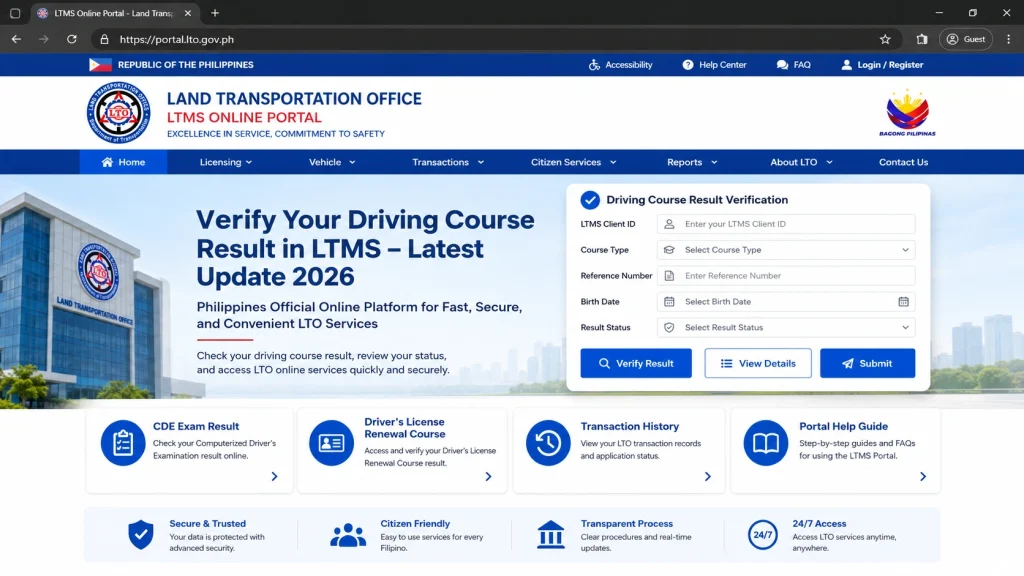
Step 1: Go to the official LTMS Portal
Open the official LTMS Portal and log in to your account. The portal has sections for login, CDE Online Validation Exam, Driver’s License Renewal Course, and other LTO services.
Step 2: Check the Certificates section
Look for your TDC, PDC, or CDE certificate.
If it appears there, check the details:
Step 3: Check Documents and Transactions
If you do not see it under Certificates, check:
Sometimes the result is connected to a transaction instead of appearing as a separate certificate.
Step 4: For CDE, check E-Learning
For CDE, go to:
E-Learning > CDE Online Validation Exam
If you passed, you should be able to view or download the certificate.
Step 5: Ask your driving school
For TDC and PDC, contact your driving school if the result is missing.
Ask them:
“Good day. I already completed my course. Can you please verify if my TDC/PDC result was uploaded or transmitted to LTMS?”
Give them your:
If Your Result Is Not Showing
Do these first:
A current LTMS troubleshooting guide lists common causes such as unuploaded certificates, wrong name or birthdate, duplicate accounts, and system updating delays.
Email Template
Use this if you need to contact your driving school or LTO:Request to Verify Driving Course Result in LTMS
Request to Verify Driving Course Result in LTMS
Dear Sir/Madam,
Good day.
I would like to request assistance in verifying my driving course result in LTMS.
Here are my details:
Full Name:
Birthday:
LTMS Client ID:
Registered Email Address:
Course Type: TDC / PDC / CDE
Driving School Name:
Date Completed or Passed:
Certificate Number, if available:
I checked my LTMS account, but I cannot find my course result/certificate.
Kindly help verify if my result has already been uploaded or linked to my LTMS account.
Thank you.
Sincerely,
Your Name
FAQs
Conclusion
verifying your driving course result in LTMS ensures your records are accurate and up to date for all LTO transactions in 2026. By checking your LTMS account regularly, you can confirm course completion, download certificates, and avoid delays in license renewal or permit applications. Stay updated with the latest LTMS features to ensure smooth and hassle-free verification of your driving course results.


