
LTO Tracker in the Philippines: Check Plate and License Status
If you are waiting for your plastic driver’s license card or your official vehicle plate, the most useful update in recent years is the LTO Tracker. The Land Transportation Office announced its digital push for real-time tracking in late April 2025, then publicly introduced the newly launched tracker in May 2025 as a way to help motorists check the status of their license plates and claim them once available. The tool was part of LTO’s effort to make plate and license release more transparent and to reduce unnecessary branch visits.
What the Official LTO Tracker Actually Does
The official LTO Tracker is designed mainly to help users monitor the status of driver’s licenses and motor vehicle plates. LTO’s own announcements consistently describe it as a real-time tracking tool for those two items, and later 2025 issuances also refer to the LTO Plate Tracker System as the online platform where clients can track the status of requests such as availability and issuance. That makes it a release-and-status tool first, not a catch-all portal for every LTO transaction.
Why the Tracker Was Created in the First Place
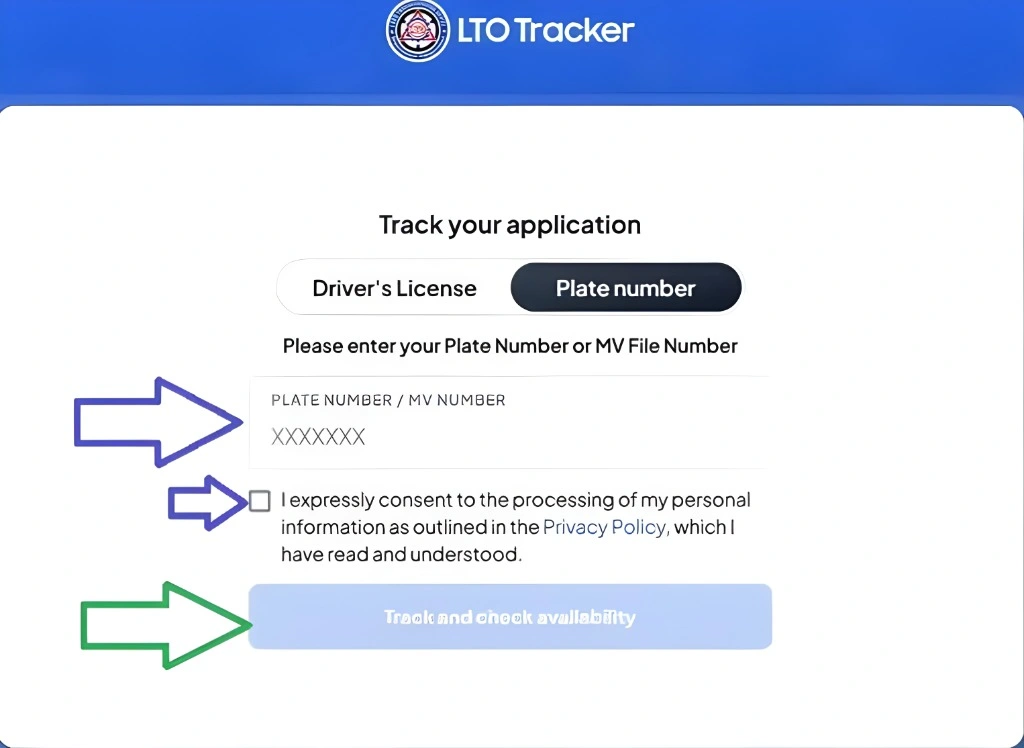
LTO’s official explanation was straightforward: the tracker was introduced to help resolve the long-standing backlog in driver’s licenses and license plates while giving the public real-time visibility into what was happening. Instead of forcing people to repeatedly visit branches just to ask whether a plate or card was ready, the agency moved the checking process online.
Do Not Confuse the Tracker With the LTMS Portal
This is where many articles go wrong. The LTMS Portal is the official LTO platform for many licensing and motor vehicle services, while the LTO Tracker is the tracking tool focused on plate and license release status. They are related parts of LTO’s digital ecosystem, but they are not the same thing and should not be explained as if they are one portal.
What You Can Reliably Check Using Official LTO Channels
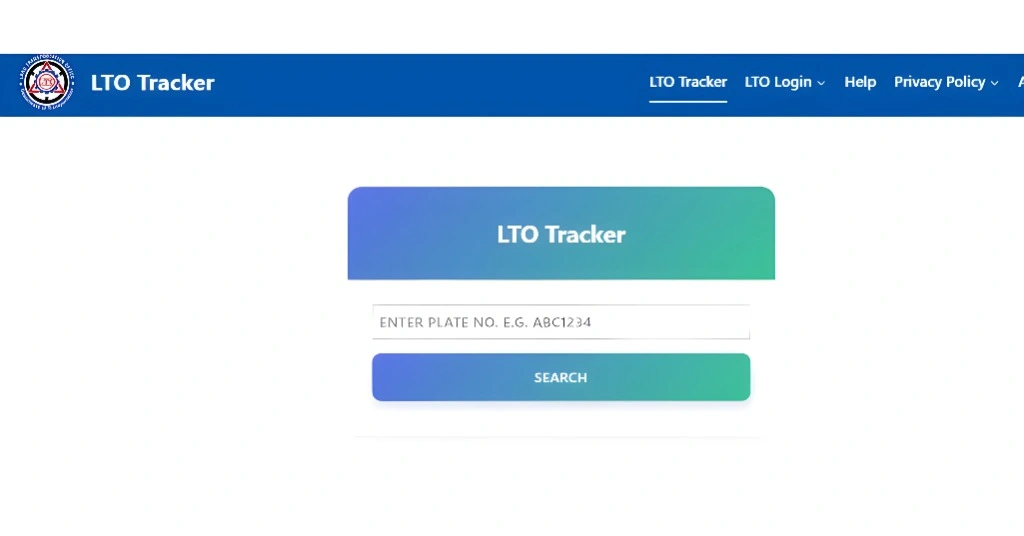
The safest claim, based on LTO’s own pages, is that the tracker and related official inquiry tools are used for vehicle plate status and driver’s license card status. LTO NCR separately maintains official online pages for new plate inquiry, replacement plate inquiry, and driver’s license card inquiry, which is especially useful when motorists need a branch-specific or regional fallback.
How to Use the Tracker the Smart Way
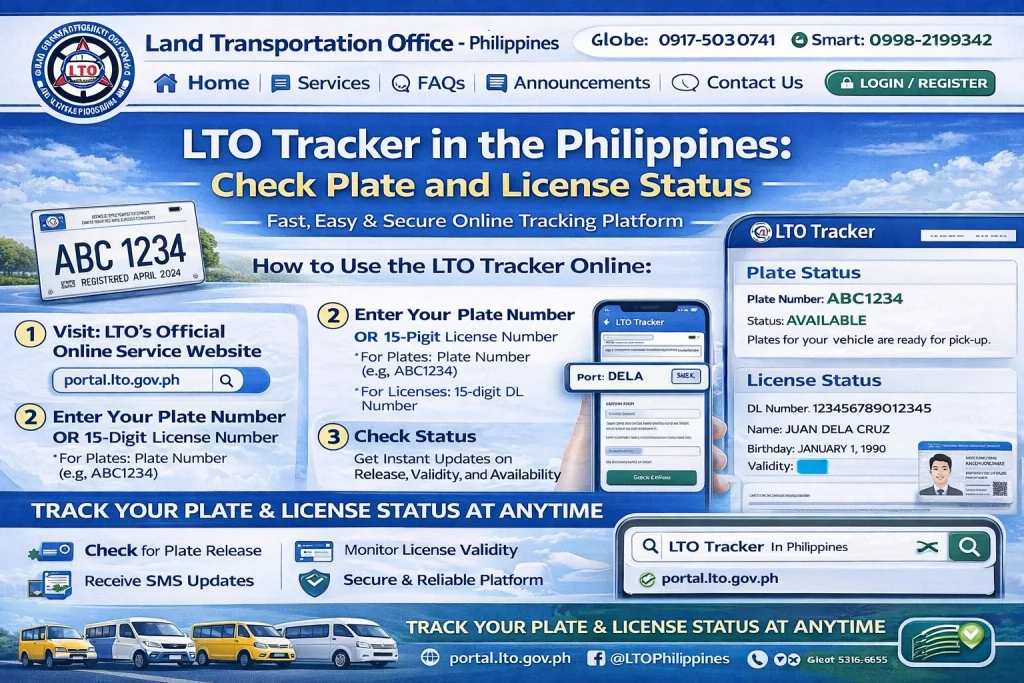
The safest workflow is simple. Start from the official LTO website or an official LTO advisory, then open the tracker or inquiry page linked there. Enter the requested details exactly as they appear on your LTO records, then review the result before deciding whether you need branch pickup or delivery. This matters because unofficial “LTO tracker” look-alike websites also exist online, and LTO has already warned the public about online scams that impersonate the agency.
What to Enter When Checking Your Status
Depending on the official inquiry page you are using, you may be asked for details tied to your plate or license record. LTO NCR’s official inquiry pages already separate functions for new plates, replacement plates, motorcycle plate checks, and driver’s license card checks, which shows that the required input can differ depending on the type of inquiry. The most important rule is accuracy: use the exact information tied to your official LTO record.
Pickup and Delivery: What the Official Sources Confirm
LTO’s 2025 announcements show that the tracker supports both claiming plates once available and, for those who prefer it, home delivery through courier partners. LTO said at least nine courier services were linked to the tracker, and it also clarified that courier charges are paid to those partner couriers, not to LTO itself. Earlier LTO guidance on courier handling also required that packages remain trackable while in transit.
A Useful Detail About Pickup Appointments
One point many website articles miss is that LTO later clarified that appointment booking in the LTO Tracker for plate pickup is exclusive to the LTO Central Office. So if someone is reading older generic advice that sounds like all branches use the exact same appointment flow, that advice may be incomplete.
What to Do If the Tracker Is Not Working
This happened officially in 2025. LTO published an advisory in October 2025 saying the tracker was temporarily unavailable because of a system outage. That is important because it proves the correct response is not to jump to random third-party trackers. The better fallback is to use official LTO NCR inquiry pages where applicable or contact LTO through its official channels.
Why the LTO NCR Inquiry Pages Matter
Even if the central tracker is the bigger system, LTO NCR’s separate inquiry tools remain useful because they let motorists check specific categories such as new plate release, replacement plate inquiry, and driver’s license card inquiry. For users in NCR or those directed there by an advisory, these are legitimate official alternatives.
The Biggest Mistake to Avoid
The biggest mistake is trusting unofficial domains just because they rank in search. The official LTO news pages are the strongest evidence that the tracker is real, but they also remind users to stay inside official LTO channels. Since LTO has already warned the public about impersonation scams, the safest practice is to begin from the main LTO website, an LTO advisory, or an official regional inquiry page.
FAQs
Conclusion
The LTO Tracker is a real official service, and it matters because it gives motorists a faster way to check whether their license card or vehicle plate is ready without wasting trips to an LTO office. The most reliable approach is to use official LTO pages, treat LTMS and the Tracker as different tools, and fall back to official NCR inquiry pages or LTO contact channels when the tracker is unavailable.