
What Causes LTMS Portal Crashes and How to Fix Them (2026)
What causes LTMS Portal crashes is a common question for users trying to renew a license, register a vehicle, check violations, or complete an LTO online transaction. The LTMS Portal is the official online platform of the Land Transportation Office for digital motorist services in the Philippines.
A crash does not always mean your LTMS account is damaged. The problem may come from heavy traffic, system maintenance, unstable internet, browser errors, or a temporary LTMS connection issue. LTO regional advisories have previously reported intermittent and offline LTMS connections during system disruptions.
Common Causes of LTMS Portal Crashes
You can also read: How to Complete LTMS Driver’s License Registration (2026)
Signs That the LTMS Portal Is Crashing
First Check If LTMS Is Down for Everyone
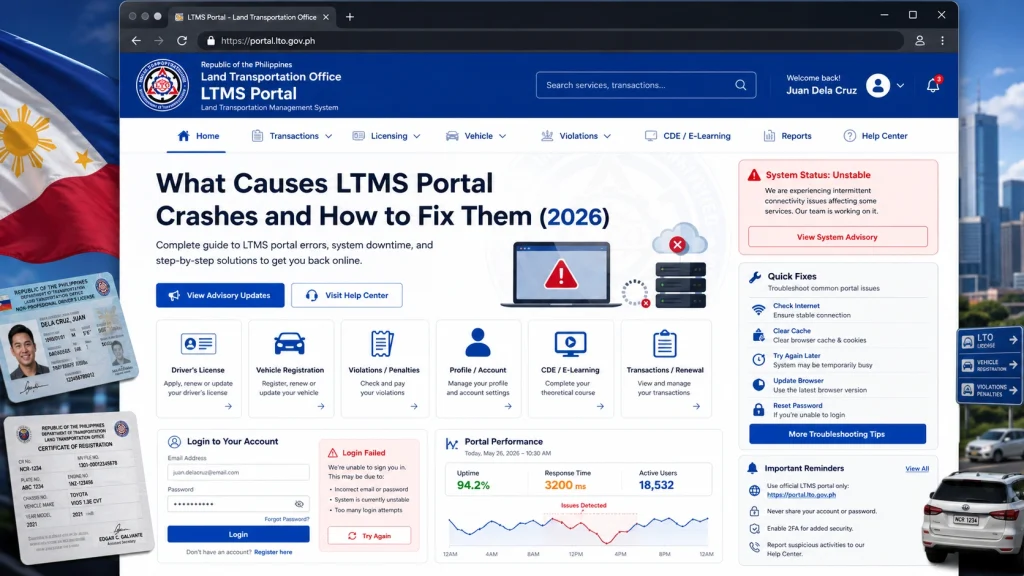
How to Fix LTMS Portal Crashes
Start with these simple fixes:
Refresh after a few minutes
A short wait can help if the server is overloaded.
Clear browser cache and cookies
Old saved files can break login or form pages.
Switch browsers
Try Chrome, Edge, Firefox, or Safari.
Use a laptop or desktop
Some LTMS pages may work better on larger screens.
Check your internet connection
Restart your router or switch to mobile data.
Turn off VPN temporarily
VPNs can sometimes slow or block portal access.
Avoid repeated clicking
Multiple clicks can create duplicate submissions or failed transactions.
What to Do If You See “An Issue Occurred”
The LTMS Portal may show an error message with a tracking ID. The official portal instructs users to report the incident to LTO Client Care and include the tracking ID when this happens.
Take a screenshot before refreshing the page. Save the date, time, tracking ID, and the action you were trying to complete.
Payment pages can be slower because they connect with external payment gateways. A crash during payment is more serious because refreshing too quickly may interrupt the transaction.
Do not pay again immediately unless you confirm the first payment failed. Save screenshots, check your transaction history, and contact official LTO support if the status is unclear.
Mobile browsers may struggle with long forms, pop-ups, security codes, and document uploads. A weak mobile signal can also cause pages to reload or time out.
Try desktop mode or use a computer for important transactions. This is especially useful for registration, renewal, exam, and payment steps.
The LTMS Portal may work better during off-peak hours. Early morning, late evening, and non-deadline days may have lighter traffic.
Avoid waiting until the last day of renewal or registration. Heavy traffic near deadlines can make crashes more likely.
Do not create a new account just because the portal crashes. Duplicate accounts can cause license, vehicle, and client number conflicts.
Do not share your login with fixers or strangers offering “fast recovery.” Use official LTO channels only.
Quick Troubleshooting Table
| Problem | Best Fix |
|---|---|
| Page keeps loading | Wait, refresh, try again later |
| Login page crashes | Clear cache or switch browser |
| Mobile page freezes | Use desktop or laptop |
| Payment page fails | Do not pay twice, check status |
| Error with tracking ID | Screenshot and contact LTO Client Care |
| Portal down for everyone | Wait for official update |
FAQs
Conclusion
LTMS Portal crashes are usually caused by heavy system traffic, temporary outages, browser issues, weak internet, or payment gateway delays. Most crashes are temporary and can be fixed with simple steps like waiting, clearing cache, switching browsers, using desktop access, and checking official LTO updates.
The safest approach is to avoid repeated submissions, save screenshots, and never create duplicate accounts during a crash.
If the problem involves payment, account access, or a tracking ID, contact official LTO support with clear details.


