
Who to Call if LTMS Shows “Alarmed” Status – Update 2026
If your LTMS Portal shows an “Alarmed” status, it means your record needs checking before you can continue with some LTO transactions. This may happen to a vehicle, plate number, driver’s license, or account record. In many cases, the alarm is linked to a pending issue, missing clearance, unsettled violation, document mismatch, or a record that needs verification by LTO.
Do not panic, but do not ignore it either. An alarmed status can stop you from renewing registration, transferring ownership, or completing another LTMS transaction. The best step is to contact the right office, prepare your documents, and ask LTO what caused the alarm and how it can be cleared.
What is “Alarmed” Status?
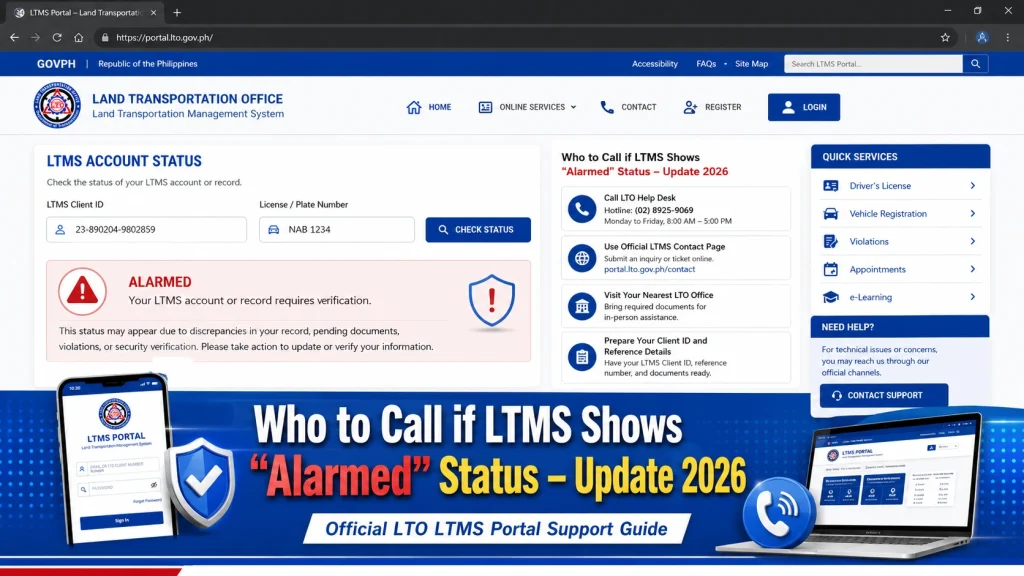
If LTMS shows “Alarmed” status, contact or visit the nearest LTO office first and ask for a vehicle or account status verification. If the alarm may involve theft, legal issues, or a police record, you may also need to verify with the PNP Highway Patrol Group. Bring your OR/CR, valid ID, screenshots, and supporting documents.
The LTO has official contact pages and public assistance channels for motor vehicle concerns.
You can also read: LTMS Portal Help Not Responding? Try This – Latest Update 2026
What Does “Alarmed” Mean in LTMS?
An alarm usually means there is a flag on the record.
It may be connected to:
LTO public updates show that vehicles and licenses can be placed “under alarm” for violations or investigation-related concerns.
Who Should You Contact?
| Situation | Who to Contact First | What to Bring |
|---|---|---|
| Vehicle alarm in LTMS | Nearest LTO office | OR/CR, valid ID, LTMS screenshot |
| Possible stolen vehicle issue | PNP Highway Patrol Group + LTO | OR/CR, deed of sale, IDs |
| Plate number alarm | LTO district office | Plate details, OR/CR |
| License/account alarm | LTO licensing office or Client Care | Driver’s license, valid ID, LTMS screenshot |
| Alarm after buying second-hand vehicle | LTO + seller | Deed of sale, OR/CR, seller ID |
| Court/legal-related alarm | LTO + issuing agency/court | Legal documents, clearance, proof |
Step-by-Step Process to Fix LTMS “Alarmed” Status
Step 1: Take a screenshot
Before doing anything, take a screenshot of the LTMS page showing the alarm.
Save:
Step 2: Check your documents
Compare your LTMS details with your documents.
Check:
If something does not match, tell LTO right away.
Step 3: Visit the nearest LTO office
For most alarm issues, visiting LTO is better than only emailing.
Ask for:
Step 4: Ask what agency placed the alarm
Not all alarms come from the same source.
Ask LTO:
This matters because LTO may not remove the alarm unless the agency that requested it gives clearance.
Step 5: Contact PNP-HPG if needed
If the alarm may be related to theft, carnapping, or police records, contact the PNP Highway Patrol Group or visit their office for verification.
Bring complete vehicle documents and proof of ownership.
Step 6: Submit proof or clearance
Depending on the issue, you may need:
Step 7: Ask LTO to update the LTMS record
After the issue is cleared, ask LTO when the LTMS status will update.
Take note of:
Troubleshooting: Common Alarm ReasonsFAQs
| Problem | Possible Cause | What to Do |
|---|---|---|
| Vehicle cannot renew | Alarm on vehicle record | Ask LTO for alarm verification |
| Plate shows alarm | Plate flagged or mismatched | Bring OR/CR and request checking |
| Second-hand vehicle has alarm | Old owner issue or unsettled record | Contact seller and verify with LTO |
| LTMS transaction blocked | Account or vehicle is under alarm | Ask LTO what agency placed the alarm |
| Possible stolen record | Police or HPG alarm | Verify with PNP-HPG |
| Violation-related alarm | Unsettled traffic or LTO case | Settle violation and request update |
| Document mismatch | Wrong engine/chassis/MV details | Ask LTO for record correction |
Email Template to LTO
Request for LTMS Alarmed Status Verification
Request for LTMS Alarmed Status Verification
Dear LTO Client Care,
Good day.
I would like to request assistance because my LTMS Portal shows an “Alarmed” status.
Here are my details:
Full Name:
LTMS Client ID:
Registered Email:
Mobile Number:
Plate Number:
MV File Number:
Vehicle Make/Model:
Transaction Type:
I have attached my OR/CR, valid ID, and screenshots from LTMS showing the alarm status.
Kindly help verify the reason for the alarm and advise what documents or clearance I need to submit.
Thank you.
Sincerely,
Your Name
What Not to Do
FAQs
Conclusion
If LTMS shows “Alarmed”, do not guess. Go to LTO and ask what agency placed the alarm and why.
The fastest path is simple: verify the reason, prepare proof, clear the issue, then request LTMS record updating.


