
LTMS Registration: Foreigners Driving in the Philippines 2026
If you’re a foreigner driving in the Philippines and need to use the LTMS Portal (Land Transportation Management System), you can register and access many services just like Filipino users. This includes applying for or renewing a driver’s license, checking violations, scheduling appointments, and more — all from your device.
This guide explains who can register, what you need, how to do it step by step, and important tips specifically for foreigners.
Who Can Register on the LTMS Portal
The LTMS Portal is designed for a wide range of users, including:
Foreigners who live or stay in the Philippines and plan to drive can set up an LTMS account as long as they meet the registration requirements.
You can also read: Step‑by‑Step LTMS Registration: Common Pitfalls Update (2026)
Why Foreigners Should Register
Creating an LTMS account helps you do many things online without going to a Land Transportation Office branch:
Even for foreigners, the portal helps organize and speed up transportation transactions without long office visits.
Requirements for Foreigners to Register
Before you begin, make sure you have:
Basic Information
Foreign‑Specific Requirements
These foreigner details help the portal recognize your legal status in the Philippines and tie your account to your identity.
Step‑by‑Step: How to Register as a Foreigner
Here’s the exact process you should follow:
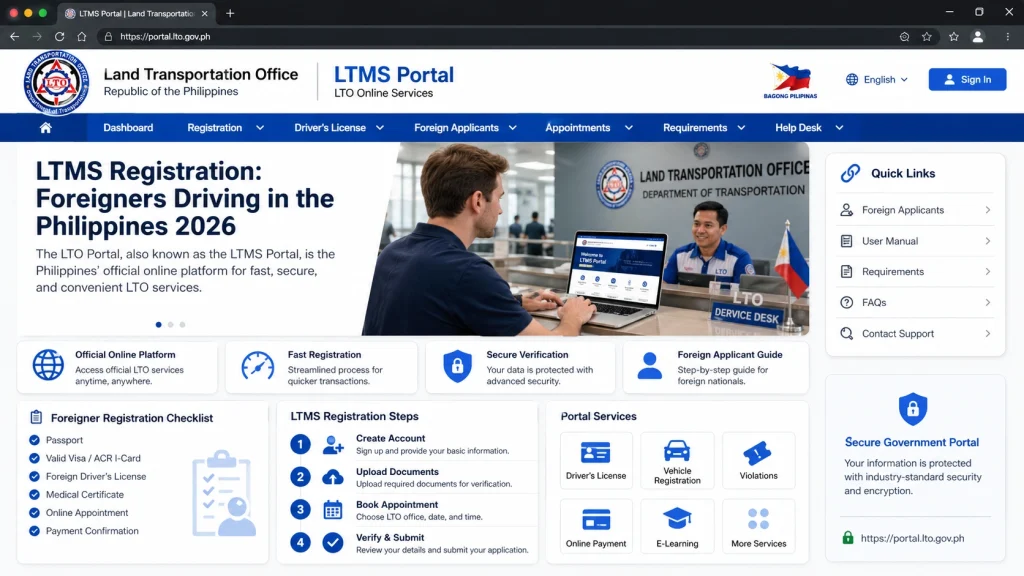
Open the Official LTMS Portal
Go to the official LTMS Portal homepage — this is where you start registration. It works on desktop or phone.
Click Register Now
Look for the “Register Now” button on the LTMS landing page and select it to begin.
Accept Terms and Enter Security Code
Read the terms of agreement and check the box to accept. Then type the security (captcha) code to proceed.
Enroll as an Individual
Choose Enroll as an individual if you are registering for personal use (not for business or organization).
State Whether You Have a License
ou’ll be asked if you already hold a driver’s license:
If you have one (even foreign), say Yes
If you don’t yet, choose No and continue with personal details
For foreign licenses, you may still register — but note that converting or using it for a Philippine license requires additional procedures later.
Provide Your Foreigner Details
Since you’re not Filipino:
Choose No when asked if you are Filipino
Enter your ACR number, its expiry date, and nationality
Enter Email and Phone
Put in your valid email address and mobile number. This is crucial for getting the verification link and future portal messages.
Verify Your Email
Open your inbox and click the verification link sent by LTMS. Make sure to check spam or junk folders if you don’t see it.
Set Your Password
After verifying the email, create a secure password for your LTMS account.
Log In and Update Profile
Use your new LTMS login details to sign in. Then complete your personal profile, including emergency contacts and accurate address.
Tips for Foreign Drivers Registering on LTMS
Here are some useful pointers:
What Foreigners Cannot Do Immediately
Registering on the LTMS Portal does not automatically convert your foreign driver’s license into a Philippine license. If you plan to drive long‑term, you may need to apply for conversion or a local license following LTO rules, which is a separate process.
For short stays (usually up to 90 days), many foreign driver’s licenses are valid for driving if they are in English or accompanied by an official translation.
FAQs
Conclusion
Yes, foreigners can register on the LTMS Portal as long as you have a valid email, mobile number, and your Alien Certificate of Registration (ACR) details. The portal gives you online access to many LTO services that make managing your driver’s license and vehicle information easier without going to an office.
Just follow the registration steps carefully, double‑check your email and ACR details, and you’ll be ready to use the portal for convenient online transactions as a foreign driver in the Philippines.


