
LTMS Portal Login Problems and Easy Fixes in 2026 Philippines
If you’re trying to use the LTO LTMS Portal to log in, renew your license, check your vehicle, or pay fines but it just won’t work, you’re not alone. In 2026, many motorists still run into login issues, missing emails, slow pages, or confusion.
This article explains the real-world problems people face and simple fixes in plain language.
Common Login Problems
Here are the top things people struggle with when logging into the LTMS Portal.
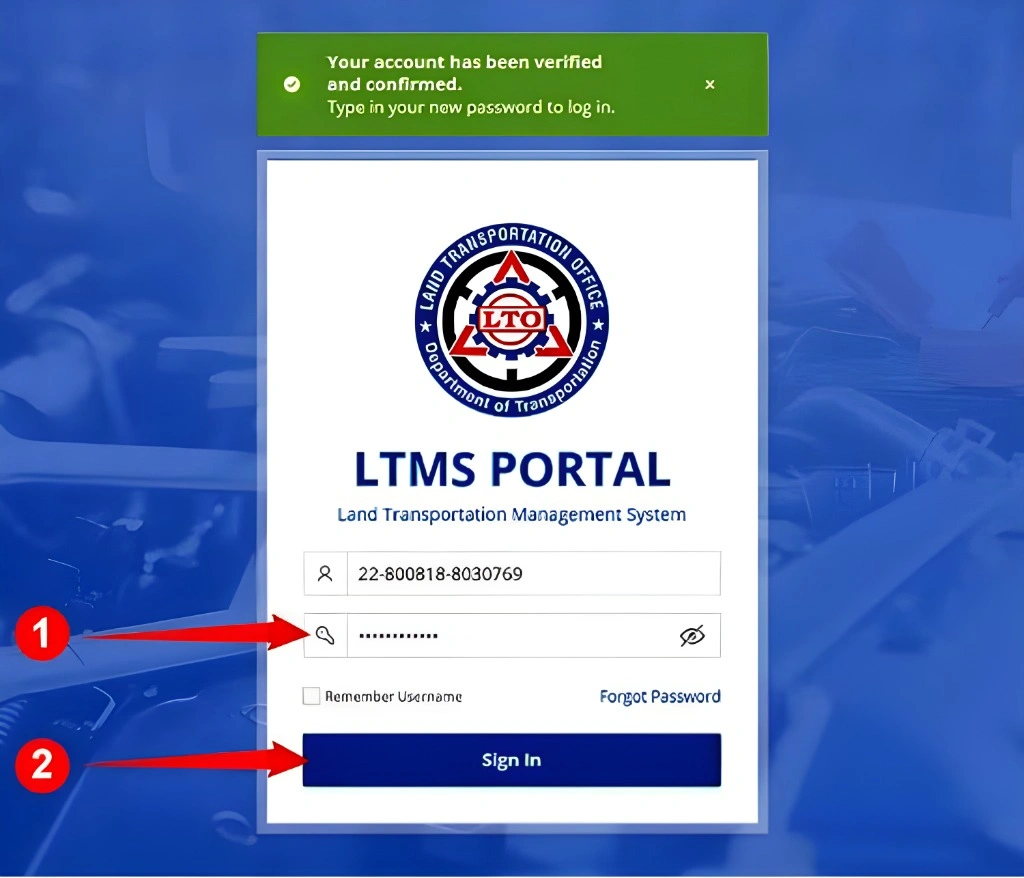
Problem: Incorrect Password or Email
You enter your email and password, but the system says they’re wrong. This often happens when you registered long ago and forgot your details, mistyped your email during registration, or changed your email but didn’t update it in LTMS.
What to do:
Tip: Search your inbox for “LTMS” or “LTO” — sometimes the confirmation email helps auto-fill your login.
Forgot Password but No Email Comes Through
You hit “Forgot Password,” but nothing shows up in your inbox.
Why this happens:
Fixes:
Pro tip: If you permanently lost access to your registered email, you may need help from LTO support or visit an LTO office.
Account Blocked After Too Many Tries
Trying the wrong password too many times can lock your account automatically.
What to do:
Website Not Loading or Too Slow
Sometimes the LTMS login page loads slowly or gets stuck. This is often due to high traffic or maintenance.
Easy fixes:
You Never Verified Your Email
If you registered but never clicked the verification link, your account stays inactive.
Quick tip:
Beware of Fake LTMS Login Links
Some messages claim you have traffic violations and include a login link. LTO does not send violation links via text messages. These messages are scams.
How to stay safe:
Help From LTO Support
If DIY fixes don’t work, contact LTO support. They may help reset passwords or unlock accounts, usually asking for:
Responses can take a few days, so be patient. Visiting an LTO branch can speed things up.
OR/CR Not Showing in Your LTMS Account
Many users find that their Official Receipt (OR) or Certificate of Registration (CR) doesn’t show up.
This is usually because:
Fixes:
Duplicate Client IDs from Dealer or Branch
Sometimes dealers create a new LTMS Client ID for your vehicle even if you already have one from your license. This can cause mismatches in OR/CR records.
Fixes:
FAQs
Conclusion
LTMS login problems are common, but most can be fixed quickly if you:
Double-check your email, password, and client ID
Verify your email after registration
Watch for system delays or offline advisories
Avoid fake links
Contact LTO support if nothing works


