
Why the LTMS Portal Is Slow or Down Today — Causes and Fixes
Have you tried logging into the LTMS Portal only to find it very slow, not loading, or completely down? This happens often to users in the Philippines, especially at busy times. It’s frustrating, but there are real reasons behind it — and usually simple ways to work around the issue.
In this guide, I explain why the LTMS Portal gets slow or goes down, how long it might last, and what you can do to access your account faster.
What It Means When the LTMS Portal Is Slow or Down
When the LTMS Portal is slow or inaccessible, it usually means the system is struggling to handle requests. This can happen because of:
This issue can affect services like login, viewing your digital license, appointments, renewals, and payments.
You can also read: Lost Your Card? Access Your e-Driver’s License 2026
Top Reasons the LTMS Portal Is Slow or Down Today
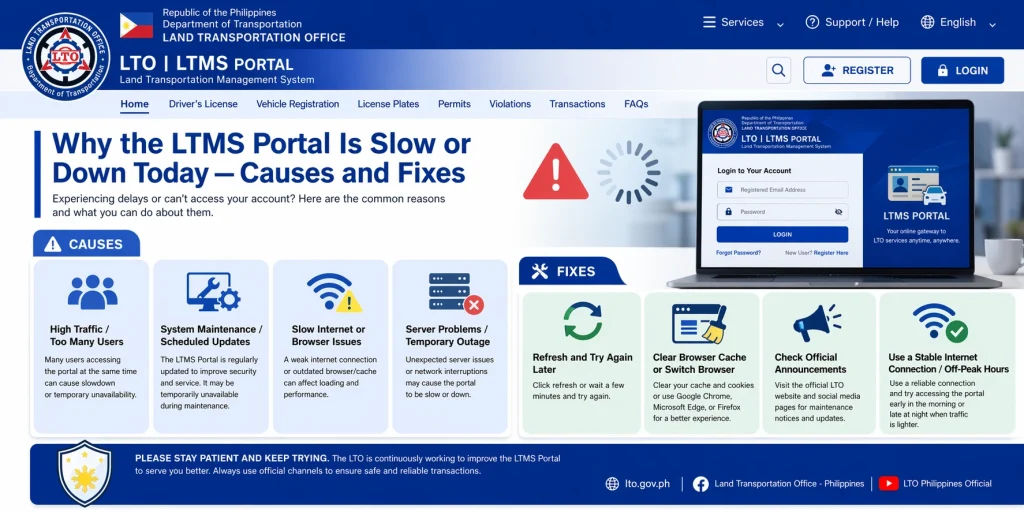
One of the most common reasons the LTMS Portal slows down is too many users at once.
During peak hours (like evenings and weekends) or when deadlines are near (e.g., license renewal cutoffs), thousands of users try to access the portal at the same time. This overloads the server and makes pages slow or unresponsive.
The portal needs regular updates to stay secure and stable. Sometimes, the LTMS team schedules maintenance — but they don’t always announce it in advance.
During maintenance:
- Login may not work
- Certain features might be disabled
- Pages could show error messages
This can last from a few hours to half a day depending on the update.
The LTMS Portal runs on web servers that can sometimes malfunction due to:
When this happens, the portal may show errors like “Internal Server Error”, “Service Temporarily Unavailable”, or just load forever without showing anything.
Sometimes the issue isn’t with the LTMS Portal at all — it could be your own internet connection.
If your connection is weak, unstable, or slow, the portal will feel slow or unresponsive even if it’s working normally on other devices.
Old browser cache, cookies, or outdated software can make websites load slowly. If you don’t clear your browser data or update your device, the portal can hang or fail to load.
How Long Can the LTMS Portal Stay Down?
There’s no fixed time, but usually:
If the portal is down for more than a few hours without explanation, it’s usually a server issue or unplanned maintenance.
What You Can Do When the LTMS Portal Is Slow or Down
Here are real, practical steps you can try:
Refresh the Page
Sometimes a simple refresh (F5 or reload button) can fix temporary loading problems.
Try During Off‑Peak Hours
Try accessing the portal early in the morning or late at night when fewer users are online.
Clear Your Browser Cache
Old cache and cookies can slow down web pages.
Clearing them can often make the portal load faster.
Try a Different Browser or Device
If one browser isn’t working, try another (Chrome, Firefox, Edge) or use a different device.
Check Your Internet Connection
Make sure your internet is stable, and try switching from mobile data to Wi‑Fi or vice versa.
Wait and Try Again Later
If the portal is genuinely down, the only option is to wait. Most outages are fixed within a few hours.
Contact LTMS Support
If the problem persists for days, contact LTO customer support. They can confirm if it’s a system issue and give you updates.
Tips to Avoid Portal Problems
FAQs
Conclusion
The LTMS Portal may be slow or down today for several reasons such as high traffic, maintenance, server issues, or local internet problems. Most of the time, the issue is temporary and can be fixed by trying again later or using simple workarounds. Knowing how to troubleshoot can save you time and frustration.
If the issue continues for more than a day, reaching out to LTO support is your best bet for official updates and assistance.


