
LTMS Portal Phishing: How to Spot Fake Sites Update (2026)
LTMS Portal phishing is a growing online safety concern for Filipino drivers, vehicle owners, and license applicants. As more people use the LTMS Portal for driver’s licenses, vehicle registration, and LTO services, scammers may try to copy official pages to steal passwords, personal details, and payment information.
A fake LTMS site may look real at first glance. Some phishing pages copy logos, colors, and login forms to trick users into entering sensitive information. Knowing how to identify fake sites can help protect your account, license details, and personal records.
What Is LTMS Portal Phishing
LTMS Portal phishing happens when scammers create fake websites, fake login pages, or fake support messages pretending to be official LTO services. Their goal is often to collect:
Once scammers gain access, they may attempt fraud, identity misuse, or account control.
You can also read: Fix LTMS Portal: Why It’s Showing Old Data Update (2026)
Why LTMS Users Are Targets
Check the Website Address First
The easiest way to spot a fake LTMS site is to inspect the web address carefully.
The official LTMS Portal uses the official LTO domain. Fake websites may use:
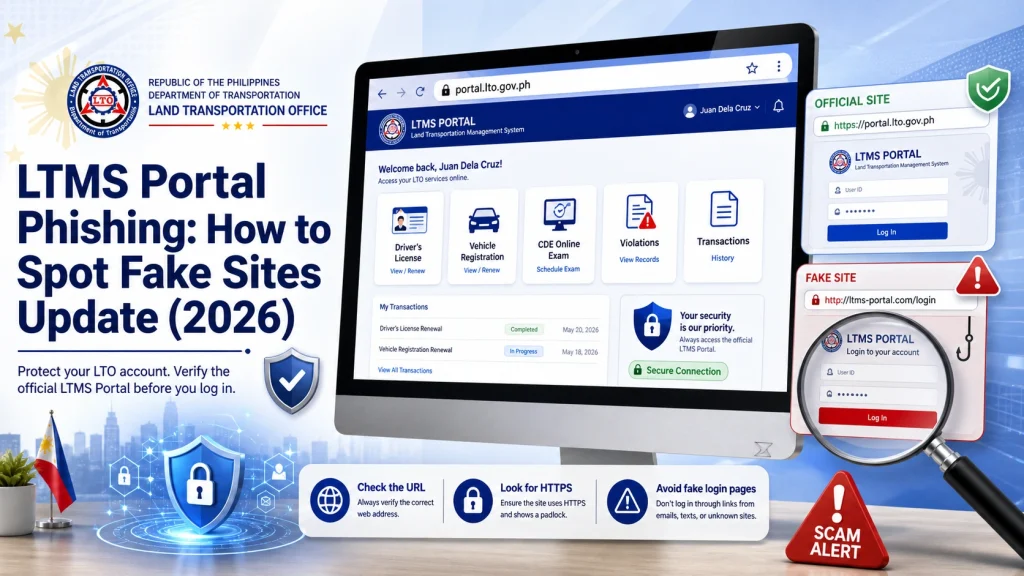
Always type the LTMS Portal address manually or use official LTO sources instead of clicking unknown links.
Look for Secure Connection Signs
A legitimate website should use secure HTTPS encryption. Look for:
However, HTTPS alone does not guarantee legitimacy because scammers can also use secure certificates. It is only one safety check, not full proof.
Watch for Poor Design or Strange Errors
Fake sites often have warning signs such as:
Official government pages may not always look modern, but they usually avoid suspicious language or pressure tactics.
Be Careful With Fake Emails and Messages
Phishing often starts through:
Warning signs include:
Scammers use fear and urgency to force quick action.
Never Share LTMS Passwords With Agents or Fixers
No legitimate support team should ask for your password directly. If someone claims they can fix your LTMS account but asks for:
This is a major warning sign.
Use official LTO channels only.
Verify Before Paying Anything
Some phishing pages may request fake fees for:
Before paying, confirm the transaction inside your official LTMS account or official LTO channels.
Fake Social Media Pages Can Also Be Dangerous
Scammers may create fake pages pretending to be LTO support. They may use copied logos and public comments to appear real.
Before trusting a page:
How to Protect Your LTMS Account
Simple security habits can lower risk:
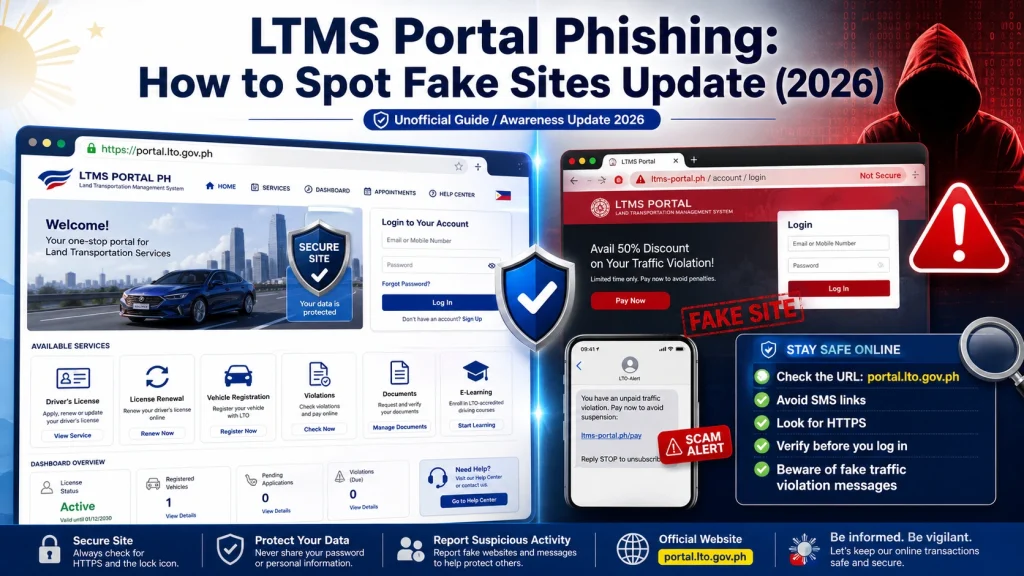
These steps help reduce phishing risk significantly.
What to Do If You Entered Details on a Fake Site
Act quickly if you suspect phishing:
Change Your LTMS Password Immediately
Use the real LTMS Portal directly.
Change Your Email Password
If your email is linked to LTMS, secure it too.
Monitor Account Activity
Check for unusual changes, vehicle records, or login issues.
Report the Scam
Report suspicious pages to official authorities or platform providers.
Watch for Follow-Up Scams
Scammers may try again if they already have some data.
Common LTMS Phishing Red Flags
| Warning Sign | Why It’s Suspicious |
|---|---|
| Misspelled website address | May be fake domain |
| Urgent threats | Fear tactic |
| Password request from support | Unsafe |
| Random payment links | Possible scam |
| Poor grammar | Fake communication |
| Messenger-only support | Risky |
Best Habit for Safe LTMS Use
FAQs
Conclusion
LTMS Portal phishing scams can be convincing, especially when users are rushing to solve account, registration, or renewal problems. Fake sites often rely on urgency, confusion, and copied designs to trick users.
The best protection is careful checking. Always verify website addresses, avoid suspicious links, protect your password, and use official LTO sources only. A few extra seconds of caution can prevent account theft, identity misuse, and serious LTMS security problems.


