
How to Check LTMS Portal’s Service Availability Update (2026)
If you need to use the LTMS Portal but the site seems slow, not working, or not loading at all, you probably want to know whether the problem is on your end or if the LTMS Portal itself is offline or unavailable.
The LTMS Portal is the online system of the LTO (Land Transportation Office) in the Philippines. Many people use it for driver’s license renewal, vehicle registration, violation checks, and other transactions. Because it is used by many people every day, sometimes users report errors, outages, or delays.
This guide explains how to check whether the LTMS Portal is actually available, and what to do when it is not.
Why It Matters to Check Service Availability
If the portal is down or under maintenance, trying to log in, reset passwords, or submit transactions will not work. Knowing the availability helps you avoid repeated attempts, saves time, and gives you a clear idea when the service will be back.
Here are the best ways to check the status of the LTMS Portal.
Check the Portal Directly
The first step is to open the LTMS Portal in your browser and try to access the homepage. If the page loads normally, the service is generally available. If the page is blank, shows an error message, or does not respond, it could be a service issue.
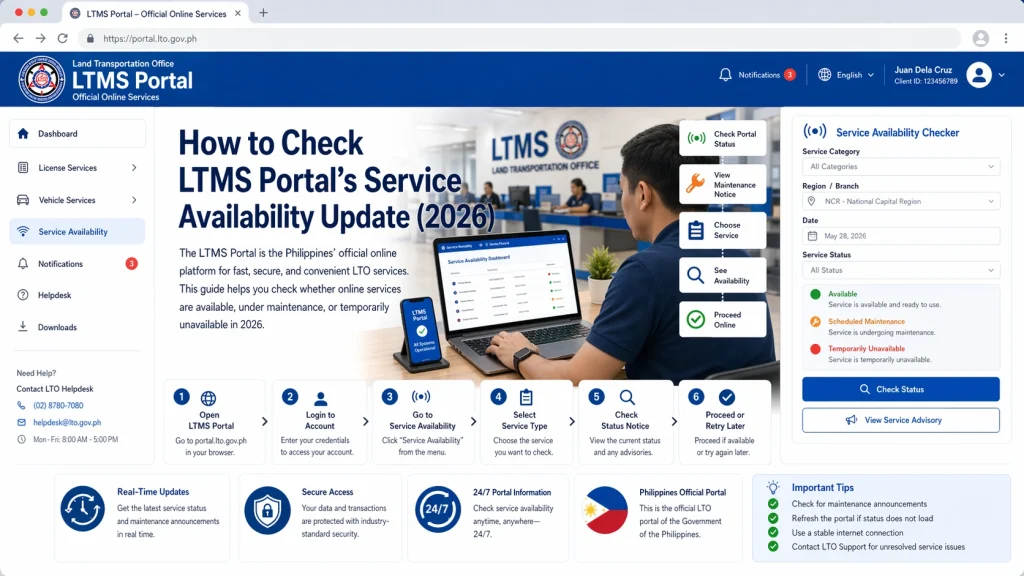
Try these steps before concluding it’s a service problem:
If the portal still does not load after this, it may be unavailable for many users, not just you.
Use Online Website Monitoring Tools
There are several free online tools that let you check if a website is down for everyone or just for you. To use these tools, copy the LTMS Portal URL and paste it into the monitoring site. These tools will show whether the site is reachable from multiple locations.
This helps you check service availability without relying only on your connection or device.
You can also read: LTMS Account Recovery: Lost Email and Password Tips (2026)
Check Social Media and Online Communities
Often, when the LTMS Portal is down or having issues, other users post about it on social media platforms and forums. Look for recent posts about service errors, outages, or problems with login and transactions. These posts help confirm if others are having the same issue.
Communities of drivers and vehicle owners often share status updates, estimated recovery time, or tips while waiting for the portal to be fixed.
Look for Official Announcements
The official Land Transportation Office sometimes publishes updates about scheduled maintenance, downtime, or system upgrades. These announcements may appear on government pages, social media, or public service channels.
If there is a scheduled maintenance window, the LTMS Portal may be unavailable for a short time. Knowing this ahead of time saves frustration.
Check Your Internet Connection
Before assuming the portal is down, make sure your internet connection is stable. Try loading other websites. If other sites also fail to load, the issue may be your connection. Switch networks if possible or try again later.
Try at Different Times
The LTMS Portal may be slow or unavailable during peak hours when many users are online at the same time. If you experience difficulty accessing it, try again early in the morning or later at night when traffic is lower.
Contact Support to Confirm
If you cannot determine whether the portal is down, you can ask support or client care. Provide details about what you see on your screen, including error messages and the time you tried to access the portal.
Support can confirm whether there is an ongoing problem or give a status update.
FAQs
Conclusion
Having trouble accessing the LTMS Portal can be frustrating, but most of the time the problem is due to maintenance, high traffic, or temporary outages. To check whether the portal is working, open it directly, use website monitoring tools, check social media and forums for reports, look for official announcements, and confirm your internet connection.
If the portal is down, waiting and trying again later usually works. When issues persist, contacting support can help provide clarity. Knowing how to check availability helps you plan your transaction and avoid repeated failed attempts.


