
How to Track OR/CR Status in LTMS — Step-by-Step Guide (2026)
When it comes to managing your vehicle registration, knowing the status of your Official Receipt (OR) and Certificate of Registration (CR) is essential. Thankfully, the Land Transportation Management System (LTMS) portal makes it easier than ever to track the status of your OR/CR, whether you’re renewing your vehicle’s registration or checking the progress of a new registration.
In this article, we’ll guide you on how to track your OR/CR status in LTMS, so you can stay up-to-date with your vehicle’s official documents.
What Are OR and CR?
Before we dive into how to track your OR/CR status, let’s first understand what these terms mean:
Official Receipt (OR)
This is the proof of payment issued when you pay for your vehicle registration. It contains details of the payment made, including the amount, payment method, and registration period.
Certificate of Registration (CR)
The CR is the official document that proves your vehicle is registered with the Land Transportation Office (LTO). It includes details like your vehicle’s make, model, engine number, and registration validity.
Both the OR and CR are vital documents for vehicle owners and must be kept updated.
You can also read: What to Do Before Visiting an LTO Office — Step-by-Step Guide
How to Track Your OR/CR Status in LTMS
Tracking the status of your OR/CR is easy once you know where to look. Follow these simple steps:
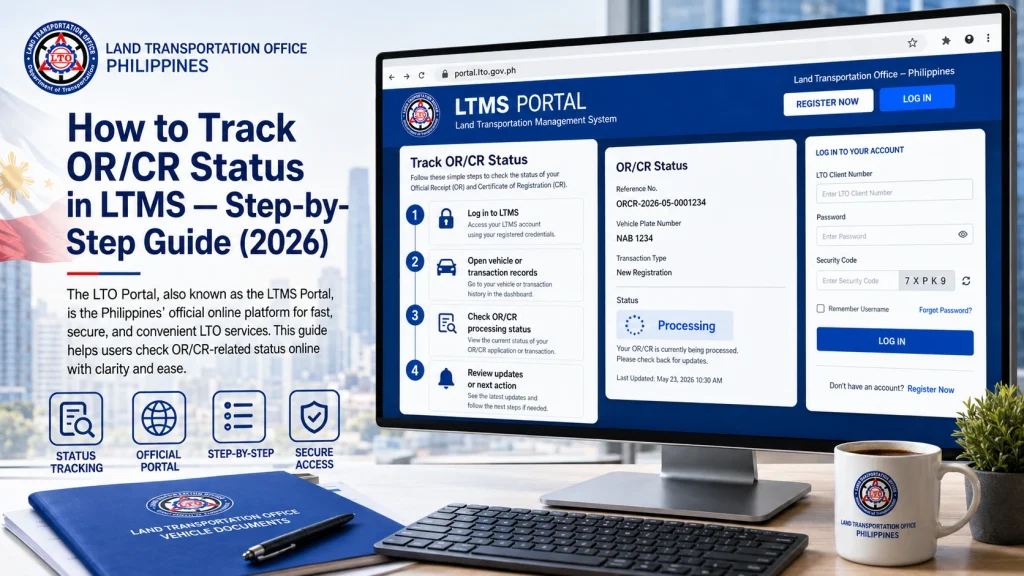
Go to the LTMS Portal (https://portal.lto.gov.ph).
Enter your username and password to log in.
If you’ve forgotten your login details, use the Forgot Password option to reset them.
Once logged in, navigate to the Vehicle Registration section of your account. This section contains all the details related to your vehicle and its registration, including your OR and CR.
Look for your vehicle registration details.
Click on “Vehicle Information” or “Transaction History”.
After accessing the Vehicle Information section, look for the OR/CR status. It should show:
- Whether your OR/CR is ready for pickup.
- The current status of your registration, such as whether the payment has been processed and the document is being printed or waiting to be issued.
- Dates of issuance or renewal.
If the OR/CR is ready, you should be able to see the release date and be prompted to visit the LTO branch to pick it up.
If you don’t have access to your LTMS account or prefer a quicker check, you can also use the LTO’s official tracking service. Here’s how:
- Visit the LTO website (https://lto.gov.ph).
- Look for the “OR/CR Status Tracker” link (it’s usually found under the Online Services section).
- Enter your plate number and vehicle details to check the status of your OR and CR.
This service will give you real-time updates on whether your OR/CR has been processed and if it’s ready for pickup.
What to Do if Your OR/CR Status Isn’t Updated
If you’ve followed the steps above and your OR/CR status hasn’t been updated, there are a few things you can try:
Check for Payment Issues
If there was an issue with your payment (for example, payment was not successfully processed), your OR and CR will not be released until it is resolved. Make sure that:
You’ve received an Official Receipt (OR) for your payment.
The payment transaction is reflected in your LTMS account or bank statement.
If you suspect a payment issue, contact LTO customer support for assistance.
Check for Pending Verification
If your payment and vehicle registration details are correct, but the system still doesn’t reflect your OR/CR status, it might be pending manual verification. This can take some time, especially if there were any changes or updates to your account.
Contact LTO support: You can reach out to LTO via the Contact Us form on their website or through their official customer support hotline for more information on pending verifications.
Additional Tips for Tracking OR/CR Status
FAQs
Conclusion
Tracking your OR/CR status in LTMS is quick and easy with the portal or the LTO’s online tracking system. By following the simple steps outlined above, you can stay informed about your vehicle registration and ensure that you pick up your official documents as soon as they are ready.
If you encounter any problems or discrepancies with your OR/CR status, don’t hesitate to reach out to LTO customer support for assistance.


