
LTMS Account Recovery: Lost Email and Password Tips (2026)
Losing access to your LTMS Portal account because you forgot your email or password can be stressful, especially when you need to renew your driver’s license, check violations, or register a vehicle. Many users experience this, but the good news is there are reliable ways to recover your account.
This guide explains how to regain access to your LTMS account when you lose your email address or forget your password. The steps are easy to follow and practical so you can fix the issue fast.
Why Account Recovery Matters
Your LTMS account holds important personal information and services related to your driver’s license and vehicle history. Without access, you cannot complete transactions online, check your status, or pay fines. That is why recovering your account is important.
There are two main problems people face:
Each problem has a different way to recover. Let’s go through them.
You can also read: LTMS Portal Not Working: How to Fix Common Errors Update 2026
What to Do If You Lost the Email You Used
Sometimes you might have multiple email accounts and forget which one you used to register with LTMS. Here are practical ways to recover your account in that situation:
Think About the Email You Usually Use
Start by checking the email you use most often. Many users realize they registered with their most common email without remembering it at first.
Search Your Other Emails for LTMS Messages
Check all your email accounts and look for messages containing these terms:
LTMS
LTO
Portal
Registration
Verification
If you find one, then you know which email is linked to your LTMS account.
Try Logging In With Each Email
If you have more than one email, try logging in with each one and use the “Forgot Password” option with every email to see which sends a reset link.
Contact LTO Support With Proof of Identity
If you still cannot find the right email, reach out to LTO support with these:
Your full name
Photos of your valid ID
Any information about the account you remember (name, date of birth, phone number)
Support can check their records and help identify the correct email used for registration.
What to Do If You Forgot Your Password
Once you know which email is linked to your account, recovering your password is the next step. Here’s how:
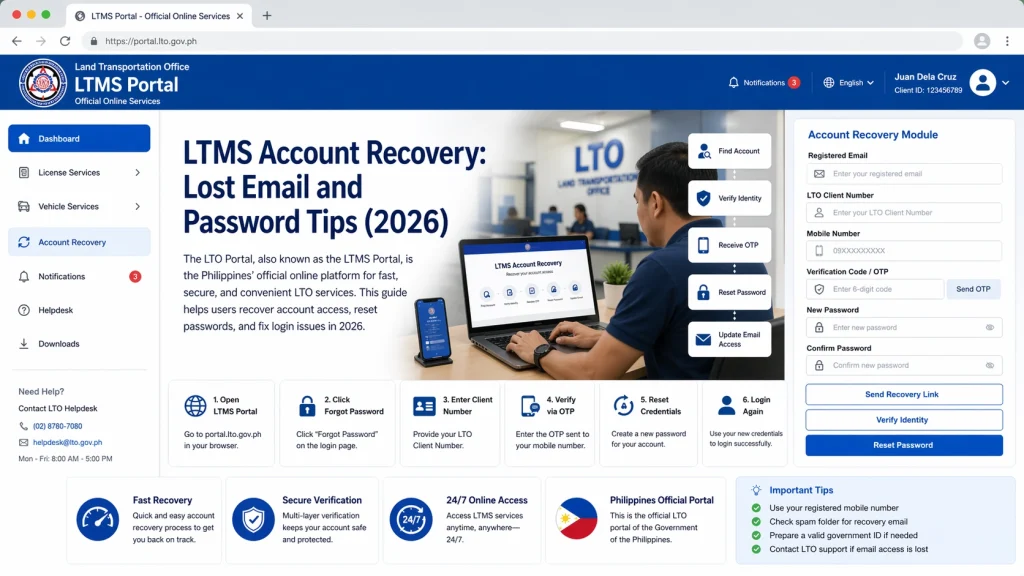
Go to the login page and click “Forgot Password”. Enter your registered email and follow the instructions. A reset link should be sent to your inbox.
If you don’t see the reset email in your inbox:
- Check Spam
- Check Junk
- Check Promotions
- Check All Mail
Sometimes the reset email gets filtered out by your email provider.
Sometimes reset emails arrive late because of server delays. If you don’t receive the email right away, wait 10 to 30 minutes and check again before requesting a new reset link.
If the system says the email is not registered, it means you may have entered the wrong email. Go back to the earlier steps to confirm the email you used.
If reset emails never arrive even after checking everything above, contact LTO support. Provide:
- Your registered email (if known)
- Your full name
- A photo of your valid ID
- A selfie holding your ID
Support can send the reset link manually or help you reset your password.
What to Do If Your Account Is Locked
If you enter the wrong password too many times, LTMS may lock your account temporarily. In this case:
Support can reset the lock on your account after verifying your identity.
Important Tips to Avoid Future Login Problems
Here are some tips many users find useful:
These practices help prevent login loss in the future.
FAQs
Conclusion
Losing your LTMS login email or forgetting your password can be stressful, but it does not mean you have lost access permanently. By checking all your emails carefully, using the reset link, and contacting support with your ID, you can recover your account.
The key steps are identifying which email you used and safely resetting your password. With the right information and steps, you can regain access to your LTMS Portal account and continue managing your driver’s license, vehicle registration, and other services online without long waits or confusion.


