
LTMS Portal: How to Fix Email Verification Failures (2026)
When you register for the LTMS Portal, one of the key steps is verifying your email address. However, many users experience issues with receiving or completing the verification process. If you’re stuck at the email verification step and haven’t received your confirmation email, don’t worry! Here’s how to fix email verification failures and successfully activate your account.
Common Causes of Email Verification Failures
- If there is a typo or an error in the email address you provided during registration, the LTMS Portal may fail to send the verification email.
- How to fix it:
- Double-check the email address you entered during registration to ensure it is correct.
- Look out for common mistakes, such as missing letters, incorrect domain names (e.g., @gmial.com instead of @gmail.com), or extra spaces.
- If you suspect an issue, you may need to re-register with the correct email address.
- Sometimes, the email server may be delayed or experiencing issues, causing the verification email to arrive later than expected.
- How to fix it:
- Wait 24 hours: The email might arrive after a short delay. Check your inbox again after a few hours or the next day.
- Be patient: Sometimes the system queues emails and processes them in batches, so your verification email might take a little longer to reach you.
- Many email services treat verification emails as potential spam, especially if they contain links or attachments. This can cause your verification email to end up in your spam or junk folder.
- How to fix it:
- Check your spam or junk folder for the email.
- If you find it, mark the email as “Not Spam” or move it to your inbox to ensure future emails from LTMS don’t get filtered.
- The LTMS Portal may not accept certain email domains (e.g., temporary email addresses or those from private email providers) due to security policies.
- How to fix it:
- Use a reliable email service provider such as Gmail, Yahoo, or Outlook. These are generally accepted by the LTMS Portal.
- If you used a temporary email address, consider switching to a permanent, more widely recognized domain.
- If the email address you entered is already associated with an existing LTMS account, you may not receive a new verification email. This can happen if you have previously registered but forgotten your login credentials.
- How to fix it:
- Try logging in: If you have an existing account, simply reset your password by clicking on the “Forgot Password” link on the LTMS login page.
- If you still can’t access your account, contact LTO support for assistance in recovering your account.
You can also read: How to Fix LTMS Portal Driver’s License Sync Errors (2026)
Steps to Fix LTMS Email Verification Failures
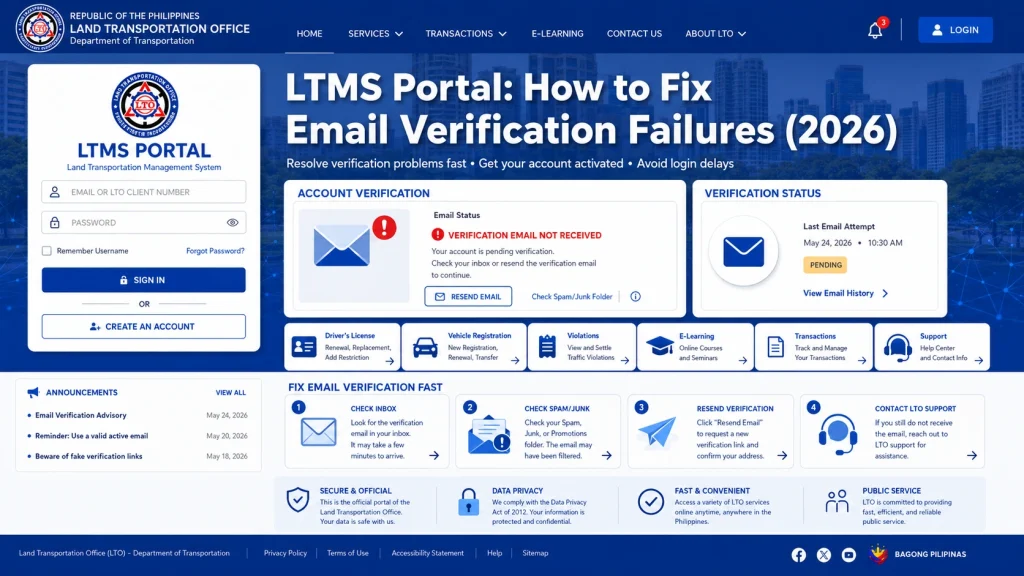
Check Your Inbox and Spam Folder
The first thing to do is check your inbox and spam/junk folder. The verification email may have been filtered or delayed by your email provider.
Open your email and look for the verification email from LTMS.
If it’s in your spam folder, mark it as “Not Spam” so that future emails from LTMS land in your inbox.
Wait for 24 Hours
If the email has not arrived yet, give it 24 hours. Sometimes, email servers experience delays, and the verification email may take a bit longer to arrive.
Tip: Be patient! Registration queues might be slower during peak times, and emails can sometimes be delayed.
Request a New Verification Email
If you didn’t receive the verification email after waiting for 24 hours, you may be able to request a new verification email directly from the LTMS Portal.
Go to the LTMS Portal login page.
Look for the option that says “Resend Verification Email” or “Resend Email”.
Enter your email address again to have the system send you a new verification email.
Re-Register with a Correct Email Address
If you made a mistake when entering your email address, it may be best to re-register with the correct one. You can do this by:
Canceling the current registration process.
Going back to the LTMS Portal registration page.
Entering a valid and correct email address during the registration process.
Contact LTO Support
If you’ve tried all the above steps and still haven’t received the verification email, it’s time to contact LTO customer support. Here’s how:
Visit the LTMS support page: Look for the contact information or support ticket system.
Explain the issue: Let them know you’ve been waiting for the verification email and describe any steps you’ve already taken.
Request manual assistance: LTO support may be able to manually verify your registration or help you troubleshoot the problem.
Additional Tips to Avoid Email Verification Issues
Use a valid, frequently checked email address:
Always use an email address you check regularly and one that’s unlikely to be flagged as spam.
Whitelist LTMS emails:
Add LTMS’s email address to your contacts or safe senders list to prevent it from being marked as spam.
Avoid using temporary or disposable email addresses:
These are often blocked by many systems for security reasons.
Double-check your email address during registration:
Make sure there are no typos or extra spaces.
FAQs
Conclusion
Email verification failures in the LTMS Portal can be frustrating, but most issues can be resolved with a few simple steps. Whether it’s checking your spam folder, waiting for server delays, or re-registering with the correct email address, you can fix most verification problems on your own.
If all else fails, don’t hesitate to contact LTO customer support for help.


