
Avoid LTMS Portal Scams: Protect Your Information Update 2026
The LTMS Portal is a convenient online platform that allows users to manage their driver’s licenses, vehicle registrations, and other services with the Land Transportation Office (LTO). However, like many online systems, the LTMS Portal can be a target for scammers looking to steal your personal information. In this article, we’ll explain how to protect yourself from scams and ensure that your personal data stays safe while using the LTMS Portal.
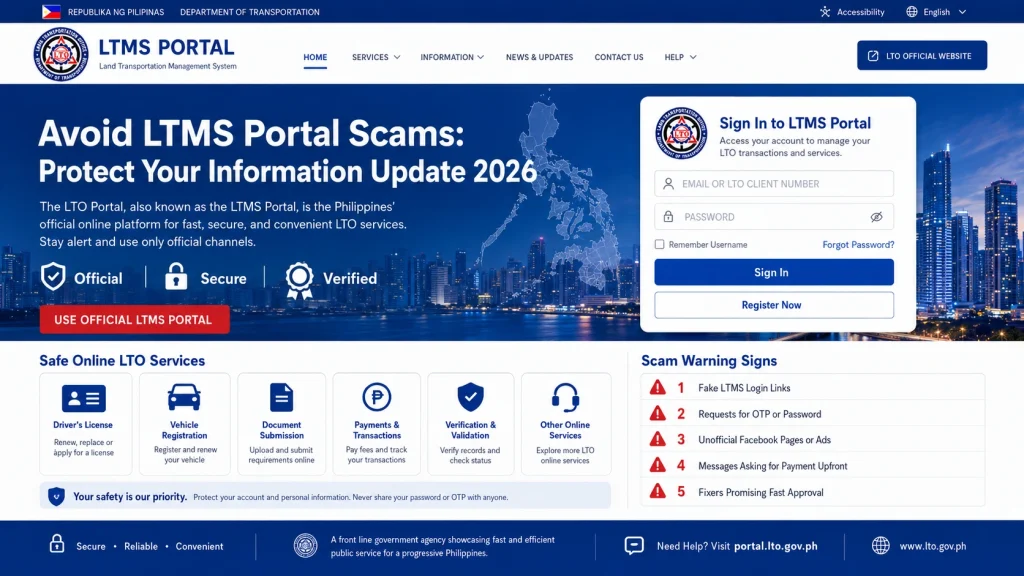
Common LTMS Portal Scams and How to Spot Them
- Phishing is one of the most common tactics used by scammers. This involves sending fake emails or messages that look like they’re from the LTO or the LTMS Portal, asking you to click on a link and provide sensitive information like your username, password, or credit card details.
- How to avoid it:
- Verify the sender: Official emails from the LTMS Portal will always come from a domain like @lto.gov.ph. Be wary of emails from unfamiliar or suspicious domains.
- Don’t click on links or attachments: Never click on a link or open an attachment in an email unless you’re sure it’s legitimate. Instead, go directly to the LTMS Portal by typing portal.lto.gov.ph into your browser.
- Look for signs of phishing: Poor grammar, urgent messages, or requests for sensitive information are usually red flags.
- Some scammers create fake LTMS websites that closely resemble the real LTMS Portal, tricking users into entering their login credentials and personal information. These fake websites may look identical to the official LTMS Portal but are designed to steal your data.
- How to avoid it:
- Check the website URL: Always ensure you’re on the official LTMS Portal website: portal.lto.gov.ph. Be cautious of websites that use similar but slightly altered URLs (e.g., ltms-portal.com or ltoportal.co).
- Look for HTTPS: Official websites will use HTTPS (not just HTTP) in the URL, which indicates that the site is secure. A padlock icon in the address bar is also a good sign that the site is legitimate.
- Do a quick search: If you find a link to the LTMS Portal through an email or ad, search for the official website yourself and visit it directly.
- Scammers sometimes offer fake job opportunities or claim they can help you with driver’s license registration, vehicle registration, or exam preparation for a fee. These scams usually ask for payment or personal details upfront.
- How to avoid it:
- Don’t pay for services: Registration for the LTMS Portal and related services is free. If someone asks you to pay for access or expedited services, it’s likely a scam.
- Be cautious of unsolicited offers: If you receive an unsolicited email or phone call offering help with LTO services, be wary. Legitimate services are typically not offered through unsolicited messages.
- Contact LTO directly: If you’re unsure whether an offer is legitimate, contact LTO customer support directly through their official channels.
- Some scammers use social media platforms to impersonate the LTO or the LTMS Portal, offering services like license renewals or vehicle registration for a fee. They may claim that they can process your application faster or offer “exclusive” services that seem too good to be true.
- How to avoid it:
- Only trust official channels: For information or services related to the LTMS Portal, always rely on the official LTO website and official LTO social media accounts.
- Report suspicious profiles: If you come across fake accounts on social media offering LTMS-related services, report them to the platform administrators.
- Scammers may also call you, claiming to be from the LTO or LTMS Portal. They might ask for your personal details or demand payment for services. Often, they use fear tactics, claiming there’s an issue with your registration or license that needs immediate attention.
- How to avoid it:
- Hang up and verify: If you receive a suspicious phone call claiming to be from LTO, hang up and call the official LTO hotline to verify the claim.
- Never give out sensitive information: Avoid sharing sensitive details like your driver’s license number, bank account details, or credit card information over the phone.
You can also read: LTMS Portal Registration: Common Mistakes to Avoid (2026)
How to Protect Your Information on the LTMS Portal
Use Strong, Unique Passwords
A strong password is your first line of defense against unauthorized access. Always use a unique and strong password for your LTMS Portal account, and avoid using the same password across multiple platforms.
How to create a strong password:
Use a mix of uppercase and lowercase letters, numbers, and special characters.
Avoid using easily guessable passwords like your name or birthdate.
Consider using a password manager to securely store your passwords.
Enable Two-Factor Authentication (2FA)
If available, enable two-factor authentication (2FA) for your LTMS account. This adds an extra layer of security, requiring you to enter a second code (usually sent to your phone) in addition to your password.
How to enable 2FA:
Go to the security settings of your LTMS account.
Follow the prompts to enable two-factor authentication (usually through an authentication app like Google Authenticator).
Monitor Your Account for Suspicious Activity
Regularly check your LTMS account for any unusual activity, such as login attempts from unfamiliar locations or changes to your account information that you didn’t make.
How to monitor:
Log into your LTMS Portal account regularly to ensure everything looks correct.
If you notice any suspicious activity, change your password immediately and contact LTO customer support.
Be Careful When Sharing Personal Information
Only share your personal information (such as your driver’s license number, address, or bank account details) when absolutely necessary and only through official LTMS channels.
How to protect your info:
Avoid sharing your personal details over email, text, or social media unless you’re sure the request is legitimate.
If you must provide sensitive information, ensure the website you’re using is secure (HTTPS) and that you’re on the official LTMS Portal.
Report Suspected Scams Immediately
If you encounter any suspicious activity or believe you’ve been targeted by a scam, report it immediately to LTO customer support. The quicker they know about the scam, the quicker they can take action to protect others.
How to report:
Use the official LTO contact channels (email, phone number, or online contact form) to report scams.
Provide as many details as possible, including any suspicious emails, phone numbers, or website links.
FAQs
Conclusion
Scams targeting the LTMS Portal can be harmful, but with a little vigilance, you can protect yourself from falling victim.
By recognizing common scams, using secure login practices, and always verifying the legitimacy of communications, you can safely use the LTMS Portal without compromising your personal information. Stay aware, stay safe, and report any suspicious activity immediately to LTO customer support.


