
LTMS Portal Error: Fixing Registration Failures Update (2026)
Using the LTMS Portal for driver’s license registration, vehicle renewal, or online exams should be easy, but sometimes errors can happen. If you’re facing a registration failure, don’t worry. This guide will walk you through the common reasons for registration failures and how to fix them, so you can get back on track.
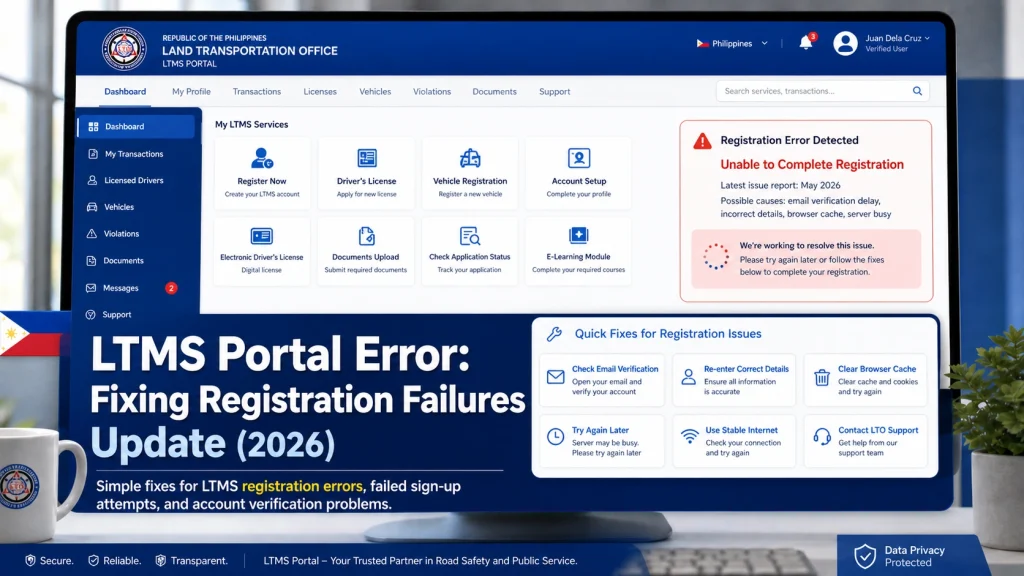
Common LTMS Portal Registration Errors
- mon issues during registration is not receiving the verification email. Here’s how to fix it:
- Check Spam/Junk Folder: Sometimes, the email might end up in your spam or junk folder.
- Ensure Correct Email Address: Double-check that the email you entered is correct. If you made a typo, you may need to register again.
- Wait for 24 Hours: Sometimes, there’s a delay in the system. Wait a bit and check your inbox again.
- If you still haven’t received the email after 24 hours, consider using a different email address and try the registration process again.
- If you get a message saying your account already exists, this may mean your details are already in the system (perhaps you’ve registered before).
- To fix this:
- Try Logging In: Use the “Forgot Password” feature to reset your password and access your account.
- Contact LTO Support: If you’re still unable to access your account, you may need to contact the LTO customer service for further assistance.
- The LTMS Portal requires that your personal information match exactly with LTO’s records. If there’s a mismatch, your registration may fail.
- Ensure Data Accuracy: Double-check your full name, birthday, and other personal details for accuracy.
- Check Your Documents: Make sure your ID and the information you’ve provided match exactly. Even small discrepancies can cause issues.
- Sometimes, users face issues when trying to upload documents for registration, such as a driver’s license or vehicle registration. Here’s how to handle it:
- Check File Size and Format: Ensure your document is in an accepted format (usually JPEG or PDF) and doesn’t exceed the file size limit.
- Ensure Document Quality: Ensure that your document is clearly visible. Low-quality images might cause the upload to fail.
- This general error may happen for various reasons. Here’s how to troubleshoot:
- Check Internet Connection: A weak or intermittent connection can cause registration to fail. Make sure you have a stable internet connection.
- Clear Browser Cache: Sometimes clearing your browser cache or trying a different browser can resolve this issue.
- Try Another Device: If the error persists, try using another device to complete the registration.
You can also read: LTMS Portal Not Showing Updates? Here’s What to Do (2026)
Solutions for LTMS Portal Technical Issues
Sometimes, the LTMS Portal can encounter technical issues that prevent registration. Here’s how to resolve those:
Clear Browser Cache and Cookies:
Browsers store data from previous visits, and this can sometimes cause problems. Clear your cache and cookies to ensure you’re getting a fresh version of the portal.
Try Incognito Mode:
Open the portal in an incognito or private browsing window. This disables extensions that might interfere with the registration process.
Use a Different Browser or Device:
Use a Different Browser or Device: If you’re still facing issues, try switching browsers or even using a different device to complete your registration.
How to Fix Common LTMS Portal Login Errors
If you’re experiencing login issues after registration, follow these troubleshooting steps:
Check Your Credentials:
Make sure you are using the correct email address or LTO Client Number and password.
Reset Your Password:
If you’ve forgotten your password, click the “Forgot Password” link and follow the instructions to reset it.
Contact LTO Support:
If you continue to face login issues, reach out to LTO’s customer service for assistance.
Tips for Foreign Drivers Using the LTMS Portal
What You Can Do Online with LTMS
Here’s a quick checklist of features you can use right now:
Is the LTMS Portal Available to Foreign Drivers Outside the Philippines?
Can You Track Your Vehicle Registration from the LTMS Portal?
FAQs
Conclusion
The LTMS Portal is a big win for foreign drivers in the Philippines. It speeds up things you used to do in person and organizes everything in one place.
Start by registering online, then use the portal to manage your license, exams, and vehicle matters easily — and avoid long lines at LTO branches.


