
LTMS Portal Login Problems: How to Resolve Them Fast (2026)
Trying to log in to the LTMS Portal but can’t get access? You’re not alone. Many users in the Philippines encounter login issues when trying to access their Land Transportation Management System account for things like driver’s license renewal, vehicle registration, or checking traffic violations. This guide walks you through the most common LTMS login problems and real ways to fix them so you can get back into your account quickly.
How LTMS Login Is Supposed to Work
To log in to the LTMS Portal, you need your registered email address or client ID and your password. Once logged in, you can manage your license details, vehicle info, transaction history, and other services online. If the portal isn’t letting you log in, the issue can be one of several things.
You can also read: Wrong Info in LTMS? How to Correct It Latest Update (2026)
Common Login Problems and How to Fix Them
Incorrect Email or Password
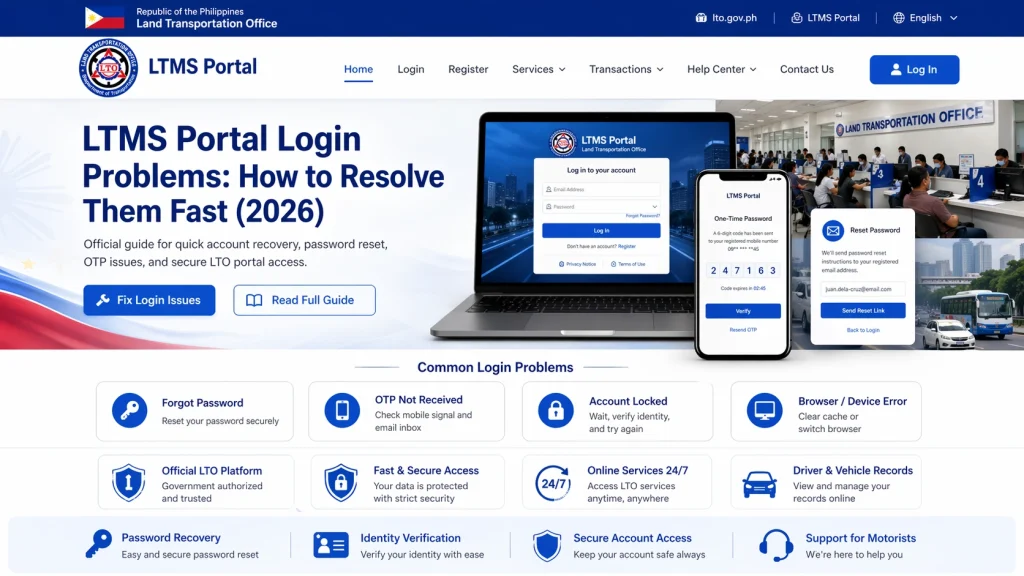
One of the most common reasons you can’t log in is simply a typo in your email or password. Double-check what you’re typing. If you still can’t log in, use the Forgot Password link on the login screen. Check your spam or junk folder if you don’t receive the reset email.
Forgotten Password or Reset Email Not Arriving
If you forgot your password and the reset email never arrives, the email may be in spam or you may have entered the wrong email when you registered. Wait at least a few minutes before trying again. If it still doesn’t arrive, contact LTO support for help recovering access.
Account Locked After Too Many Attempts
If you try logging in repeatedly with the wrong password, LTMS may temporarily block your account. Waiting or contacting support is usually the fastest way to regain access.
Your Account Is Not Verified
If you didn’t complete registration or email verification, the portal may not allow you to log in. Try registering again or contact support to complete verification.
Portal Not Loading Correctly
If the login page doesn’t load or is slow, the issue might be with the portal itself. Refresh the page, clear your browser cache, try another browser, or try again outside peak hours.
What to Do If These Fixes Don’t Work
Some login problems cannot be fixed just by retrying or resetting your password. If you’ve tried everything above and still can’t log in, consider contacting LTO support or visiting an LTO office with your valid ID and screenshots of the problem.
Safety Tip: Avoid Fake LTMS Links
Be careful of fake LTMS portals or scam links. Always use the official portal to enter your credentials and never click links from unknown sources.
FAQs
Conclusion
Login issues with the LTMS Portal are common but can usually be resolved quickly. Start by checking your email and password, using the reset link carefully, and ensuring your account is verified. If problems persist, contact LTO support or visit a branch for direct assistance. By following these steps, you can regain access to your account and continue using the LTMS Portal for all your driver’s license, vehicle, and traffic violation needs. By following these tips, you can resolve common LTMS issues fast and get back to managing your license, vehicle, and transactions with less stress.


