
How to Complete LTMS Driver’s License Registration (2026)
How to complete LTMS driver’s license registration is one of the most searched questions for new drivers, student permit holders, and motorists in the Philippines. The Land Transportation Management System or LTMS Portal is the official online platform of the LTO where users can create an account, manage licenses, access records, and process driving-related transactions online.
The registration process is simple if you prepare your details correctly. Many users face delays because of small errors like incorrect email addresses, mismatched names, or wrong license information. A careful setup can save time and prevent account recovery problems later.
What You Need Before LTMS Registration
Before creating your LTMS account, prepare your basic information first. Having correct documents and active contact details makes registration faster.
You usually need:
Make sure your email and phone number are active because these may be used for account verification and future recovery.
You can also read: Why LTMS Portal Is Slow & How to Speed Up Update (2026)
How to Register Of Driver’s License on the LTMS Portal Step by Step
Follow these simple steps to complete your LTMS driver’s license registration:
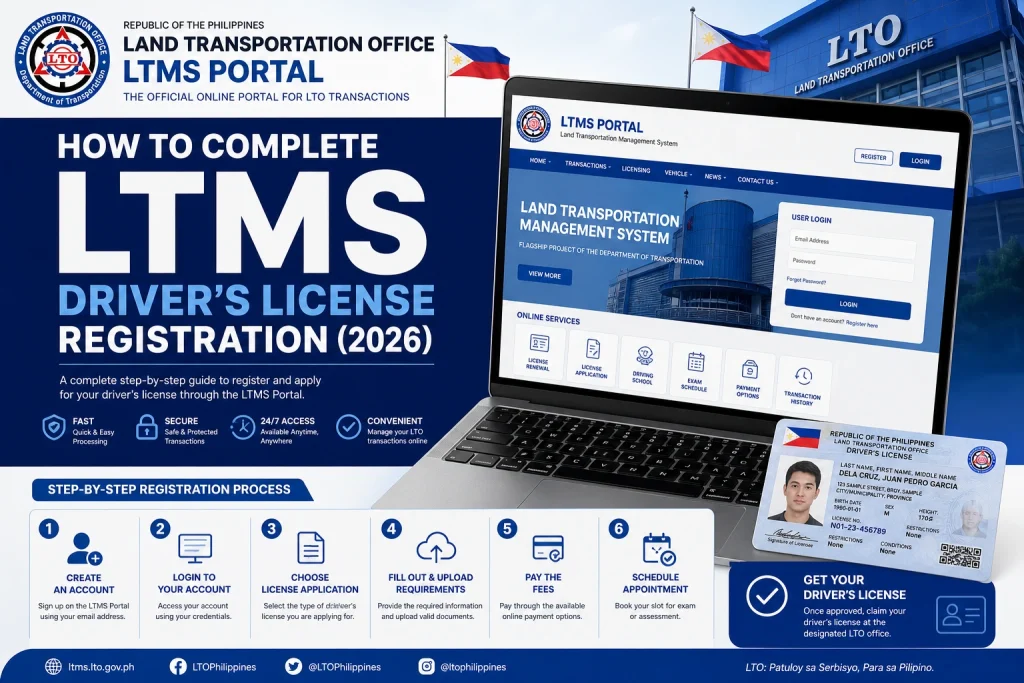
Visit the Official LTMS Portal
Go only to the official LTMS website. Avoid unofficial links from random social media posts or third-party pages to protect your information.
Click Register Now
Choose the registration option on the homepage. Read the terms carefully before proceeding.
Select the Correct Registration Type
Choose whether you are registering as an individual. Most personal driver’s license applicants should use the individual account option.
Enter Your Personal Information
Fill in your full name, birthdate, contact number, and email exactly as required. Double-check spelling because mismatched records can create future issues.
Create Your Password
Use a strong but memorable password. Combine letters, numbers, and symbols if allowed. Save it in a secure place.
Verify Your Account
Check your email for the activation link or code. Follow the verification process immediately to activate your LTMS account.
Log In to Your New Account
After activation, return to the LTMS Portal and sign in using your registered credentials.
Important Tips to Avoid LTMS Registration Errors
Many LTMS registration problems come from small mistakes. These simple tips can help:
These steps can help you avoid duplicate account issues and account ownership problems.
What to Do If Your Driver’s License Is Already Registered
Common LTMS Registration Problems
Verification Email Not Received
Check spam or junk folders first. Make sure you entered the correct email address.
Incorrect Personal Information
Wrong details may prevent future transactions. Contact official support if major corrections are needed.
Duplicate Account Error
Do not create another account immediately. Multiple accounts can complicate your records.
Portal Loading Problems
Use another browser, clear cache, or try again during non-peak hours.
After Registration What Happens Next
Once your LTMS account is active, you may access services like:
Your LTMS account becomes your main online access point for many LTO-related services.
Security Tips for LTMS Users
Best Time to Register on LTMS
FAQs
Conclusion
Completing LTMS driver’s license registration is easier when you prepare your details carefully and use only official LTO channels. A correct setup can help you avoid duplicate accounts, login problems, and future recovery issues.
Take your time, review your details, and protect your account information. A properly registered LTMS account can make many LTO services faster, easier, and more convenient.


