
LTMS Portal: Course Upload Delays Explained Latest Update 2026
LTMS Portal course upload delays can happen for several reasons, including system processing time, incomplete training records, verification issues, or high traffic on the portal. Many users expect their completed course to appear immediately, but updates may take time depending on the training provider and LTMS system synchronization. This guide explains why course uploads are delayed, how long you may need to wait, and what steps you can take to check, verify, or resolve the issue quickly.
You finished your driving course, but LTMS still does not show your certificate.
This can happen with:
It is frustrating, especially if you need to apply for a student permit, driver’s license, or renewal. But in most cases, the delay has a simple reason.
Quick Fix of Course Upload Delays
Course uploads in LTMS may be delayed because the driving school has not uploaded the certificate yet, your LTMS Client ID was entered incorrectly, your personal details do not match, or the portal has not synced the record. LTO memoranda state that course completion certificates should be electronically transmitted to LTMS/LTO systems.
You can also read: LTMS Portal Not Showing TDC Completion? Easy Fix 2026
Who Uploads the Course Certificate?
For TDC and PDC, the driving school usually uploads or transmits the certificate to LTMS.
You normally do not upload it yourself.
For CDE, the certificate is usually created after you pass the CDE Online Validation Exam inside LTMS.
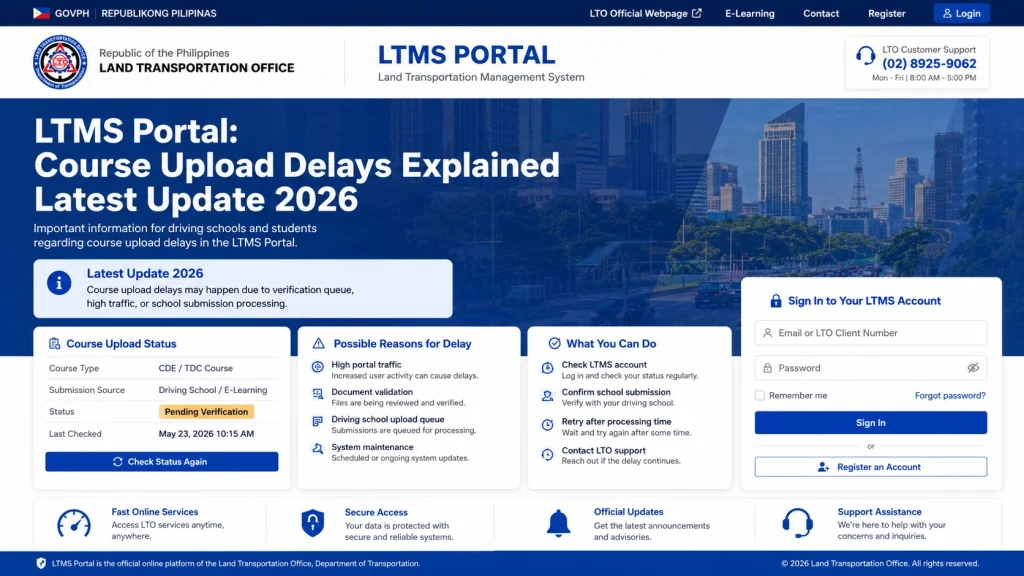
Why Course Uploads Get Delayed
- Some driving schools do not upload certificates one by one right away. They may process them in batches.
- A common user complaint is that the school says the certificate is pending or waiting in an upload queue.
- This is one of the biggest reasons.
- If one digit is wrong, your certificate may not connect to your LTMS account.
- LTMS may not match the certificate if your details are different.
- Check:
- Full name
- Birthday
- Email address
- LTMS Client ID
- Course type
- Completion date
- Even if you finished the course, the upload may not be done.
- Some driving schools clearly say they electronically transmit the TDC certificate to LTO-LTMS after completion, so the school is often the first place to ask.
- Sometimes the school already uploaded the certificate, but LTMS does not show it right away.
- Try logging out, clearing cache, using Chrome, or checking again later.
What You Should Do
Step 1: Check the correct LTMS sections
Log in to LTMS and check:
Step 2: Contact your driving school
Ask this:
“Good day. I completed my course, but it is not showing in LTMS. Can you please check if my certificate was already uploaded or transmitted?”
Give them your:
Step 3: Ask them to check the encoded details
Ask them to verify your Client ID, name, birthday, and course type.
Most delays become easier to fix once the school finds the wrong detail.
Step 4: Ask for proof of completion
Request a copy of your certificate or proof that the course was completed.
Keep a screenshot or PDF.
Step 5: Contact LTO if the school already uploaded it
If the school says the upload is done but LTMS still does not show it, contact LTO Client Care.
Use this email:Course Certificate Upload Delay in LTMS
Course Certificate Upload Delay in LTMS
Dear LTO Client Care,
Good day.
I would like to request assistance because my course certificate is not showing in my LTMS account.
Here are my details:
Full Name:
Birthday:
LTMS Client ID:
Registered Email Address:
Course Type: TDC / PDC / CDE
Driving School Name:
Date Completed:
Certificate Number, if available:
My driving school informed me that my certificate has already been uploaded/transmitted, but it is still not appearing in my LTMS account.
I have attached my proof of completion, valid ID, and screenshots from my LTMS account.
Kindly help verify and update my course record.
Thank you.
Sincerely,
Your Name
Do Not Do These
How Long Should You Wait?
There is no fixed time for every case.
If your school uploads quickly and your details are correct, it may appear sooner. If there is a queue, wrong Client ID, duplicate account, or system issue, it can take longer.
The best move is to contact the driving school first, then LTO if needed.
FAQs
Conclusion
If your LTMS course record is delayed, the fastest fix is to check your LTMS Client ID and contact your driving school.
Most delays are not because you failed the course. They usually happen because the certificate is still waiting for upload, was uploaded with wrong details, or has not synced yet.


