
LTMS Portal Login Failure: What to Do Next Update (2026)
Having trouble logging into the LTMS Portal can be frustrating, especially when you need to renew your license, check violations, or access other LTO services online. Login problems are one of the most common issues users face with the Land Transportation Management System in the Philippines.
This guide explains exactly why LTMS login sometimes fails and what practical steps you can take next to fix it so you don’t waste time.
Common Reasons Your LTMS Login Failed
Here are the most frequent reasons the login process can fail:
Incorrect Email or Password
If your login details are wrong, the portal will not let you in. Many users mistype their password or use the wrong email.
Unverified or Inactive Account
If you didn’t complete the email verification after registering, the system will not recognize your account.
Lost Access to Registered Email
You may be entering the correct password, but if you no longer have access to the email you used, the portal won’t send reset emails.
Account Blocked from Too Many Attempts
If you enter the wrong credentials too many times, LTMS may temporarily block you for security.
System or Portal Errors
Sometimes the issue is with the portal itself, not your account — for example, the site may be busy, under maintenance, or glitching.
You can also read: Why Is the LTMS Portal Offline? Here’s the Real Answer (2026)
Step‑by‑Step Fixes After Login Failure
If the portal is slow or experiencing problems, wait a bit and try again — especially during off‑peak hours when fewer users are online.
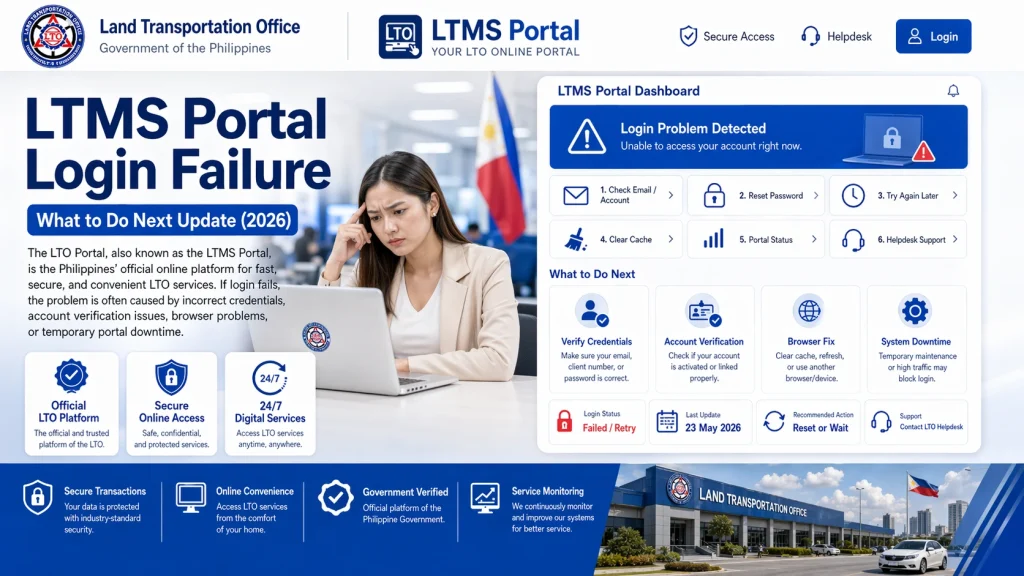
Carefully retype your email and password. Make sure you:
Try using your LTO Client ID instead of email if needed
Use the email you used to register
Check for typos in your password
On the login page, click Forgot Password.
Enter your registered email or Client ID and follow the steps. You should receive a password reset link in your inbox.
Keep these tips in mind:
Avoid clicking the reset button repeatedly — too many requests can delay delivery even more
Check your spam or junk folders if the reset email doesn’t arrive
Wait at least 15–30 minutes before trying again
Make sure the email account you registered with is still active. If your email was closed or disabled, the portal won’t send reset or verification messages.
If you forgot the email you used, you might be able to use your LTMS Client ID instead when logging in or resetting your password.
Browser issues can sometimes block successful logins. Clear the cache or try another browser, then attempt to log in again.
If the portal is slow or experiencing problems, wait a bit and try again — especially during off‑peak hours when fewer users are online.
When You Need Help From LTO Support
If none of the above steps work, here’s what to do:
Contact LTO Client Support
If your password reset email never arrives, or you lost access to your email or Client ID, contacting LTO support can help. You may need to provide:
Your full name
Your registered email or approximate registration details
A valid ID
A selfie holding your ID
Some users report that after sending these requirements, LTO support emailed them back with a reset link or instructions.
Visit an LTO Branch in Person
If email support is slow or unresponsive, visiting your nearest LTO office often solves the issue faster. Bring:
A valid ID
Any proof of attempted login issues
Screenshots of error messages
Staff can help verify your identity and reset your account from their side.
Safety Tip: Avoid Fake LTMS Links
There are fake LTMS portals and scam messages circulating. These may claim that you need to log in or pay a fine through a link — but they are not official. Always open the portal by typing the official URL yourself in your browser.
FAQs
Conclusion
A login failure on the LTMS Portal can happen for several reasons — most commonly incorrect credentials, unverified accounts, email issues, or temporary blocks. Before panicking, try the forgot password link, check your email carefully, and use your client ID if needed. If it still doesn’t work, contacting LTO support or visiting an LTO branch is often the fastest way to get help.
With the right steps, you can recover access and get back to using your LTMS Portal account for driver’s license, vehicle, and traffic services without long delays.


