
LTMS Portal Guide for Foreign Drivers in the Philippines 2026
Easy Steps to Register, Login, and Use the LTO Online System
If you’re a foreign driver in the Philippines and want a stress-free way to handle your driving/vehicle tasks online, the LTMS Portal is the place to go. No more long lines or confusing paperwork at the LTO office — you can do most steps right from home or abroad.
What is the LTMS Portal?
LTMS stands for Land Transportation Management System. It’s the official online platform by the Land Transportation Office (LTO) where drivers, vehicle owners, and applicants can:
All of this is available 24/7 from any device with internet.
You can also read: LTMS Portal Error: Fixing Registration Failures Update (2026)
Why Foreign Drivers Should Use the LTMS Portal
If you are a foreigner living in the Philippines or visiting long-term, using the LTMS Portal can:
Step-by-Step: How to Register on the LTMS Portal (Foreign Drivers)
Here’s how to get started — even if you’re not Filipino:
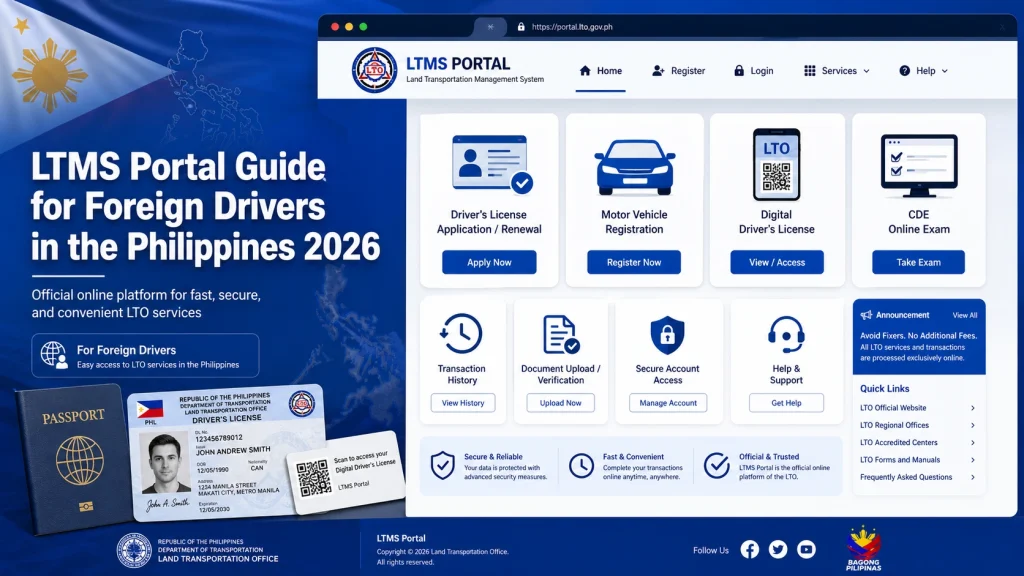
Open the LTMS Portal
Go to the LTMS Portal and click “Register Now.”
Choose “Enroll as an Individual”
This lets you sign up with your name, email, and details.
Fill in your info
Include your name, birthday, email address, and nationality (choose your foreign nationality).
Check your email
You’ll get a verification link. Click it within 24 hours to confirm your account.
Create a password and you’re in!
You’ll see your dashboard where you can start using the portal.
Tip: Use a valid email you check often — that’s where future notices and updates will go.
How to Login After Registering
Once registered:
If you forget your password, the portal has a “Forgot Password” link — though some users report delays or missing emails — so keep your account email updated.
Can Foreign Drivers Convert a Foreign License?
Here’s the key part:
You cannot fully convert a foreign driver’s license online yet. The LTMS Portal lets you check things like records and requirements online, but to convert your foreign license into a Philippine license, you usually still need to visit an authorized LTO office in person.
Pro tip: Check with your nearest LTO branch before going — some allow this conversion, while others only allow it at main regional offices.
Tips for Foreign Drivers Using the LTMS Portal
What You Can Do Online with LTMS
Here’s a quick checklist of features you can use right now:
Is the LTMS Portal Available to Foreign Drivers Outside the Philippines?
Yes, the LTMS Portal allows foreign drivers living abroad to perform certain tasks like renewing your driver’s license and paying traffic fines. If you’re planning to renew your license while abroad, make sure to check the LTO guidelines for specific requirements for foreign-based renewals.
Can You Track Your Vehicle Registration from the LTMS Portal?
Yes, the LTMS Portal allows you to check the status of your vehicle registration. You can verify the expiration date of your registration, check payment status, and track updates without leaving home. This feature makes it much easier for foreign drivers to manage their vehicle details from anywhere.
FAQs
Conclusion
The LTMS Portal is a big win for foreign drivers in the Philippines. It speeds up things you used to do in person and organizes everything in one place.
Start by registering online, then use the portal to manage your license, exams, and vehicle matters easily — and avoid long lines at LTO branches.


