
Insurance Not Reflecting in LTMS Portal? What to Do (2026)
If you bought or renewed your car insurance but it still does not show up in your LTMS Portal (Land Transportation Management System) Portal, you’re not alone. Many drivers in the Philippines experience this issue, and it can be stressful — especially when you need to renew your vehicle registration or prove that your insurance is valid.
In this guide, you’ll learn why your insurance isn’t showing up, what you can do about it, and how to fix the problem quickly.
What Does It Mean When Insurance Isn’t Showing in LTMS?
When your valid motor vehicle insurance (compulsory third party liability insurance or optional comprehensive insurance) doesn’t appear in the LTMS Portal, it means that the portal has not yet linked your insurance details to your vehicle record.
This can happen even if:
The portal just has not updated your insurance information yet.
You can also read: Can You Pay LTO Fines Online in LTMS? (2026 Guide)
Why Insurance Sometimes Doesn’t Appear in LTMS
Here are the most common reasons:
Insurance Record Not Updated in the LTO/LTMS System
Insurance companies must send your insurance details to the LTO database so it can reflect in LTMS. Sometimes this upload is delayed.
Delay Between Insurance Issuance and Portal Sync
Even after the insurance company issues your policy, it may take a few days before LTO systems sync and show it in LTMS.
Mismatched Vehicle Details
If the details on your insurance certificate (like plate number or chassis number) don’t exactly match what’s recorded in LTMS, the system won’t link it.
System or Sync Errors
Like any online system, the LTMS Portal sometimes has delays or technical issues that slow down data updates.
Insurance Through Dealer, Not Directly
If your vehicle dealer handled your insurance and registration together, there can be a delay before the insurance data is sent properly to LTO.
How Long Does It Usually Take for Insurance to Show in LTMS?
There’s no official timeline, but in most cases, insurance should reflect in LTMS within a few days to a couple of weeks after it is issued and processed by your insurance company.
If it hasn’t shown up in 2 to 3 weeks, it’s time to follow up.
How to Fix Insurance Not Showing in LTMS
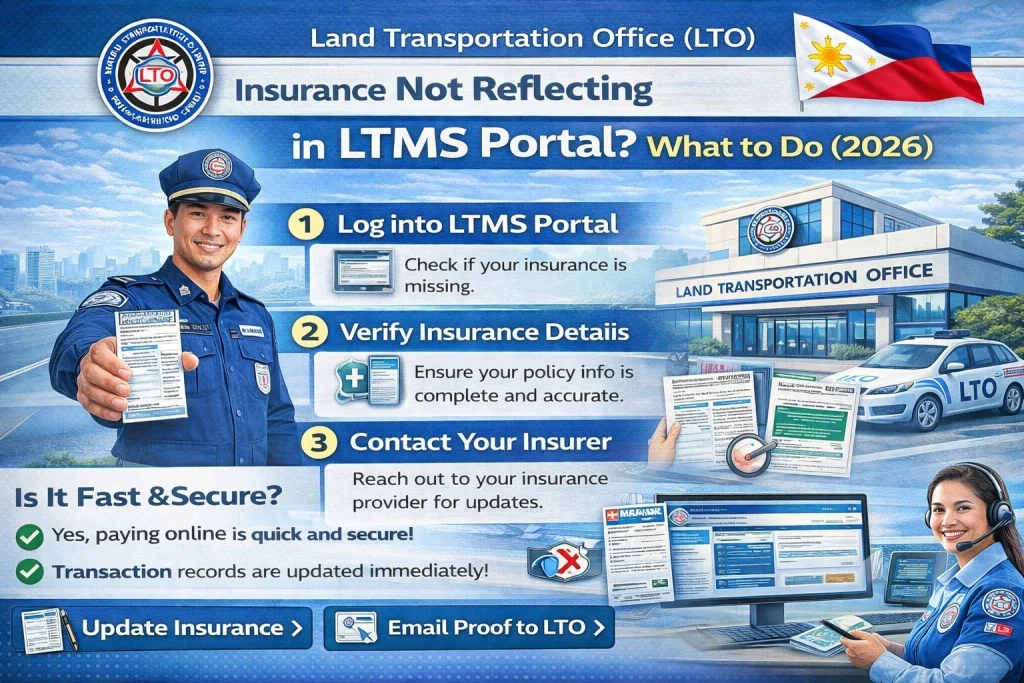
Here’s a step‑by‑step guide to fix this issue:
Make sure your insurance documents are correct:
If any of these are wrong, the LTMS system may not match them correctly.
Sometimes the portal just needs time to update. Check back after a few days, especially if your insurance was recently renewed or issued.
Call or email your insurance provider and ask:
Many times the problem is that the insurance company simply hasn’t updated the LTO database yet.
Ask them for a reference number or a copy of the form they sent to LTO.
Some insurance companies allow you to check your policy online on their website. If it shows as active there but not in LTMS, it confirms it’s a sync issue — not a cancellation.
Inside the LTMS Portal there may be a Help or Support option. Use that to send a message that includes:
The support team can then check if the record was received and what might be missing.
If online messages don’t work, visit:
Bring copies of:
LTO staff can manually update or verify your insurance record in the system.
Why It Matters That Insurance Shows in LTMS
Having your insurance reflect in LTMS is important because:
Tips to Avoid Insurance Reflection Delays
Here are practical tips:
Check your insurance immediately after purchase
Make sure the plate number and chassis number match exactly.
Ask the insurance company to confirm LTO submission
Don’t assume they already sent it.
Check LTMS regularly after you buy or renew insurance
It often takes a few days to show up.
Keep all documents organized
Policy, OR/CR, receipts — these help during follow‑up.
FAQs
Conclusion
If your insurance is not showing in the LTMS Portal, it’s not always because it’s invalid or missing. Most of the time, it’s a delay in data upload or sync between your insurance company and LTO.
Follow the steps above to make sure your details are correct, check with your insurer, and contact LTO support if necessary.
Getting your insurance to reflect in LTMS ensures your vehicle stays legal and helps you avoid fines, renewal delays, and other problems down the road.


