
Why Your Car Record Is Missing in LTMS? Easy Solution (2026)
Are you trying to access your vehicle record on the LTO Portal (LTMS) but it’s nowhere to be found? It’s frustrating, right? Don’t worry; you’re not the only one facing this issue. A missing vehicle record in the Land Transportation Management System (LTMS) can happen for a few reasons, and the good news is it’s usually easy to fix. Let’s explore the common causes of this issue and how you can get it resolved quickly.
Why Is My Vehicle Record Missing in LTMS?
Here are some of the most common reasons why your car record might be missing from the LTMS:
If you’ve recently registered your vehicle, it might take a few days for the system to update your record. In some cases, the registration may not have been processed yet, and the details aren’t showing up in the LTMS Portal.
One of the most common reasons for missing vehicle records is incorrect or mismatched information. This could be anything from a slight typo in the vehicle’s license plate number to incorrect chassis or engine numbers.
Technical glitches or downtime in the LTMS Portal can sometimes cause vehicle records to not appear. It could be a temporary issue, and your car’s record might show up after a system refresh.
If your vehicle hasn’t been registered with the LTO yet, it won’t appear in the system. This could happen if you’ve recently bought a second-hand vehicle or have just moved to the Philippines and haven’t completed the registration process yet.
Occasionally, LTMS might experience synchronization problems where your vehicle’s data hasn’t been properly updated or synchronized across their system. This can cause discrepancies in the database, and your car record may not appear.
If your vehicle’s registration is expired or there are unpaid fees or penalties, your vehicle record might be flagged and won’t show in the system until the issues are resolved.
You can also read: LTMS Phone Verification Not Working? How to Fix Update (2026)
How to Fix Missing Vehicle Records in LTMS
If your vehicle record is missing, here are a few simple steps you can follow to get it back:
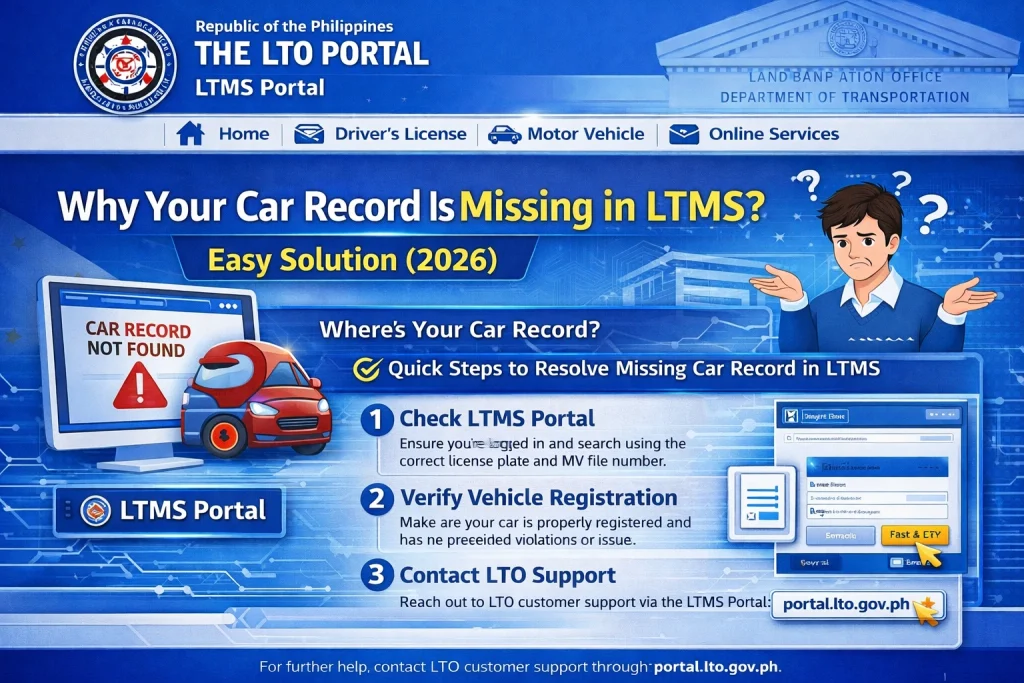
Double-Check Your Information
Ensure that all the details you’ve entered into the LTMS Portal are correct. This includes:
Even a small typo can cause the system to not find your vehicle, so it’s important to double-check these details.
Wait for System Updates
If you’ve just completed the registration process, your vehicle details might not be updated in the system yet. The LTMS Portal can sometimes take a few days to reflect new registrations, so be patient and try again later.
Refresh the Portal or Clear Your Cache
Technical glitches like page errors or outdated data can be resolved with a simple refresh. You can also try clearing your browser’s cache to make sure you’re viewing the most recent version of the LTMS Portal.
Verify Registration Status with LTO
If you’re still having trouble, it’s a good idea to verify your registration status. Here’s how:
Contact your local LTO office: Visit your nearest LTO branch or contact them via phone to check if your vehicle is registered and whether there are any issues with your record.
Check through the LTO mobile app: The LTO app allows you to check your vehicle’s registration status and access records.
Clear Any Unpaid Fees or Penalties
If your vehicle has expired registration or unpaid fines, your record may be flagged, preventing it from appearing on the LTMS Portal. Check your payment status and settle any outstanding fees at the LTO office or through the portal.
Contact LTMS Support
If none of the above steps work, you should contact LTMS customer support. You can reach them through:
The LTMS support team will be able to check for any errors in your record and help you resolve the issue.
Preventing Future Issues
Once you’ve resolved the issue, here are some tips to ensure your vehicle record stays visible in the LTMS Portal in the future:
Regularly update your information: If there are any changes to your vehicle or contact details, make sure they are updated in the LTMS Portal.
Keep track of your registration status: Set reminders for vehicle registration renewal to avoid any issues with expired registrations.
Use the mobile app: The LTO LTMS mobile app is often more reliable for accessing your vehicle records on the go.
FAQs
Conclusion
It can be frustrating when your vehicle record doesn’t show up in the LTMS Portal, but with the right steps, you can quickly resolve the issue. Double-check your information, be patient with system updates, and reach out to LTO support if needed. By following these simple tips, you’ll be back on track and able to access your vehicle’s records without any hassle.


