
LTMS Portal for OFW License Renewal: Step-by-Step Guide 2026
Overseas Filipino Workers (OFWs) often face challenges renewing their driver’s licenses while abroad. The LTMS portal (LTO Portal) provides convenient online access for many steps, but it’s important to understand what can be done remotely and what requires physical presence. This guide will help OFWs renew their licenses efficiently, avoid delays, and stay compliant with Philippine regulations.
How OFWs Can Use LTMS for License Renewal
The LTMS portal offers several features that OFWs can use from abroad:
Check License Status
You can log in to verify your license type, expiration date, and renewal eligibility. This prevents missed deadlines and helps you plan your renewal in advance.
Pay Fines and Fees Online
Outstanding traffic violations can block renewal. OFWs can settle these fines online, using approved payment channels that accept international credit/debit cards or online remittance services.
Update Personal Information
Your LTMS profile must have a correct registered email, contact number, and Client ID. Updating this ensures you receive verification emails and notifications promptly.
Monitor Renewal Requirements
The portal also shows whether your license category requires additional documents like a medical certificate, which helps you prepare before traveling to the Philippines.
Using LTMS effectively ensures OFWs can complete most preliminary steps from anywhere in the world.
You can also read: Is Online LTO Assistance Safe? What Drivers Need to Know 2026
Limitations for OFWs Using LTMS Abroad
While the portal is accessible internationally, some aspects of license renewal require physical presence:
Biometric Data Collection
New licenses or renewals requiring fingerprint scanning, signature capture, and photo updates must be done in person. This is mandatory for all license categories that involve security features.
Medical Certificate Verification
Certain license categories require a medical certificate issued in the Philippines. The portal allows you to upload the document, but verification may still require branch approval.
First-Time or Expired Licenses
If your license has expired or you are applying for a new license, LTMS cannot complete the full process online. Visiting an LTO branch is necessary to finalize issuance.
Restricted Online Services
Some functions, like reactivating a suspended license or processing special endorsements, cannot be completed from abroad. Knowing these limitations helps you plan your trip efficiently.
Step-by-Step OFW License Renewal Process via LTMS
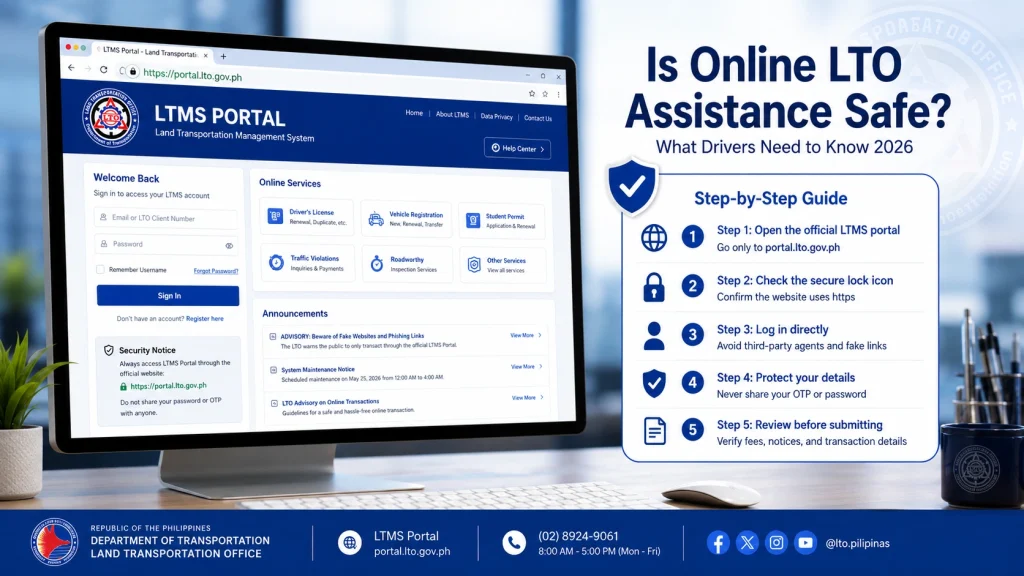
Use your Client ID and registered email to access your account. Make sure your email and phone number are updated to receive all notifications.
Review your license status, ensure there are no outstanding fines, and confirm that your category is eligible for renewal.
Pay all pending traffic violations online. Keep screenshots, payment receipts, or transaction reference numbers as proof for future verification.
Depending on your license category, upload scanned copies of your current license, government-issued ID, and medical certificate (if required). Ensure files are clear and meet the LTMS upload size and format requirements.
For steps requiring biometric capture or verification, book a slot at the nearest LTO branch in the Philippines. Planning in advance reduces waiting time and ensures your documents are processed promptly.
If you cannot visit personally, some services allow a legal representative to submit documents on your behalf using a notarized authorization letter. This can help OFWs complete renewal without returning to the Philippines immediately.
Tips to Make OFW License Renewal Easier
Keep Personal Information Updated
Ensure your email, contact number, and Client ID are accurate to receive updates and verification emails promptly.
Maintain Copies of All Receipts
Digital copies of payments, reference numbers, and scanned documents help resolve any discrepancies quickly.
Plan In-Person Visits in Advance
Schedule trips to the Philippines or coordinate with authorized representatives to complete tasks that cannot be done online.
Check LTMS Notifications Regularly
Monitor the portal for messages about missing documents, fines, or verification requirements. Prompt action prevents delays.
Use Secure Networks
Access LTMS through trusted devices and secure internet connections to prevent unauthorized access or phishing attacks.
Understanding System Limitations for OFWs
During peak periods, LTMS processing may slow down. Plan renewals well ahead of expiration dates.
Some documents and payments require approval at a local branch before the portal reflects updates.
International email delivery can take longer or be flagged as spam. Use reliable email providers and check spam folders regularly.
Understanding these limitations ensures OFWs do not panic if the portal does not update immediately.
How OFWs Can Handle Urgent Tasks
Coordinate with Family or Representatives
Authorize trusted individuals to pay fines or submit documents locally on your behalf.
Use Official LTO Channels
Always process payments and uploads through official LTMS links to avoid errors or scams.
Maintain Complete Documentation
Keep screenshots, receipts, and transaction reference numbers to support any inquiries.
Contact LTO Support
If urgent processing is required, reach out via email or hotline for guidance, especially for time-sensitive renewals.
FAQs
Conclusion
Renewing your driver’s license as an OFW is manageable with the LTMS portal, but it requires careful planning. Using LTMS to check eligibility, settle fines, and upload documents allows you to complete most steps remotely.
For in-person requirements like biometric capture or verification, plan your visit or coordinate with an authorized representative. Following these steps ensures a smooth, efficient renewal process while staying compliant with Philippine regulations.


