
Is Online LTO Assistance Safe? What Drivers Need to Know 2026
Many motorists in the Philippines rely on the online LTO assistance system, especially the LTMS portal, to manage licenses, vehicle registrations, and traffic violations. But a common question is: Is it really safe to use these online services? This guide explains the safety of online LTO assistance and provides tips to protect your account and personal information.
Understanding Online LTO Assistance
The Land Transportation Office (LTO) provides several online services through the LTMS portal:
These services aim to make vehicle management more convenient, allowing users to handle many tasks without physically visiting LTO offices.
You can also read: Why Your Traffic Fines Aren’t Updated Online: What Drivers Need
Security Measures in Place
The LTMS portal has multiple security features to protect your account:
Account Authentication
Users log in with a Client ID and registered email, preventing unauthorized access.
Encrypted Connections
The portal uses HTTPS encryption, ensuring that sensitive information like license details and payment data is transmitted securely.
Password Protection
Strong passwords are required, and users are encouraged to avoid sharing login credentials.
Activity Monitoring
The system monitors for suspicious activity, such as multiple failed login attempts, and temporarily locks accounts to prevent unauthorized access.
These measures make online LTO assistance generally secure when used properly.
Common Risks for Users
While the portal itself is secure, risks exist if users are not careful:
Phishing Attempts
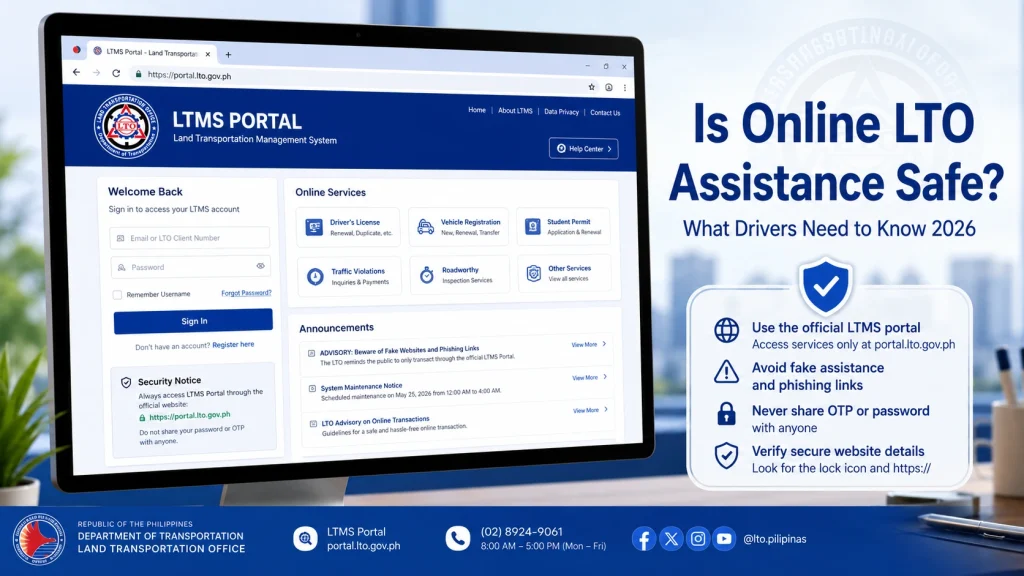
Fake websites or emails may mimic the LTO portal to steal credentials. Always use the official LTMS URL.
Public or Shared Computers
Using public devices can expose login credentials to keyloggers or malware.
Weak Passwords
Simple passwords are easier to hack. Avoid using common words, birthdates, or repeated passwords across multiple accounts.
Email Vulnerabilities
A compromised email can allow attackers to reset your LTMS password and access your account.
Tips to Ensure Safe Online Access
Always Use Official LTO Links
Type the LTMS portal URL manually instead of clicking on links from emails or social media messages.
Enable Strong Passwords and Two-Factor Authentication
If available, enable two-step verification to add an extra layer of security.
Secure Your Email Account
Since LTMS sends verification and reset emails, make sure your email is secure and monitored.
Avoid Public Wi-Fi
Use trusted networks or a VPN when logging in to prevent unauthorized access.
Monitor Your Account Activity
Regularly check for unusual changes or notifications about failed login attempts.
How to Verify Official LTO Assistance Channels
These steps prevent falling victim to scams or phishing attempts.
FAQs
Conclusion
Using online LTO assistance is generally safe as long as you follow security best practices. Stick to official LTMS links, use strong passwords, enable two-factor authentication, and avoid unsecured networks.
By staying vigilant, you can manage your licenses, pay fines, and check vehicle records conveniently and securely from anywhere.


