
Why Your Traffic Fines Aren’t Updated Online: What Drivers Need
Have you ever paid a traffic fine or waited for your LTMS portal account to reflect a violation, only to find it hasn’t updated? This is a common issue for many drivers in the Philippines. Understanding why your traffic fines aren’t showing online and how to fix it will save you stress and prevent unnecessary duplicate payments.
Common Reasons Traffic Fines Don’t Show
Several factors can prevent your fines from appearing in your LTMS account immediately:
Processing Delays
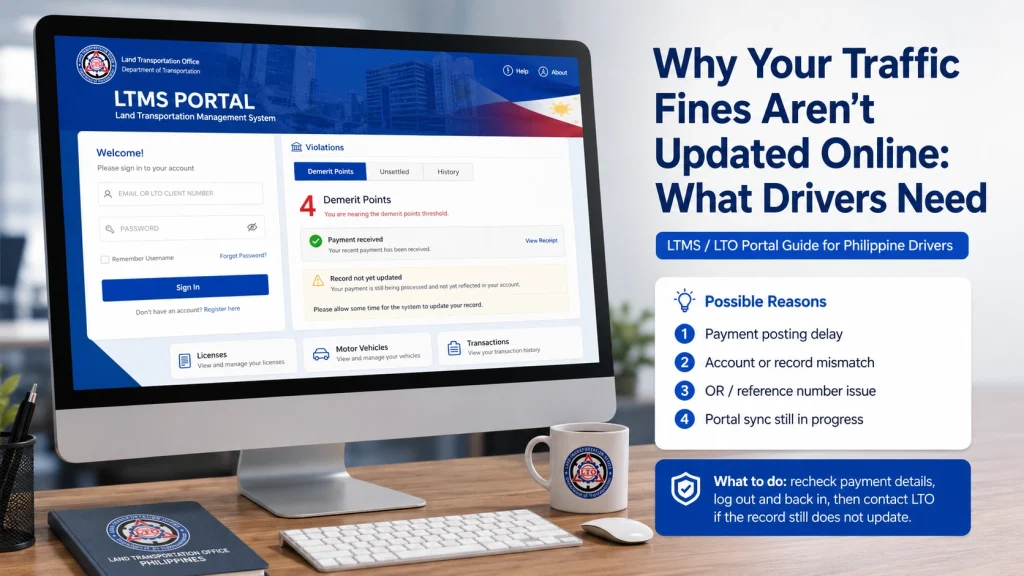
Payments or records may take 24–72 hours to sync with the LTMS portal. High traffic periods can make this longer.
Bank or Payment Gateway Issues
Even after successful payment, delays may occur between your bank and LTMS servers.
Incorrect Information
Using a wrong plate number, Client ID, or registered email during payment can prevent fines from updating.
Pending Manual Verification
Some fines require LTO staff to manually verify the payment before posting to your account.
Technical Errors
Portal downtime, system maintenance, or glitches can temporarily prevent updates.
You can also read: LTMS Violations Not Showing After Payment: What to Do (2026)
Steps to Ensure Your Fines Are Updated
Check Payment Confirmation
Verify that your payment was successful via bank statement or receipt. Keep screenshots for reference.
Confirm Your Account Details
Ensure your LTMS profile has the correct Client ID, registered email, and vehicle information.
Wait for System Updates
Allow 1–3 business days for the system to process payments and update violations.
Contact LTO Support
If fines still aren’t reflected, contact LTO via email, hotline, or in person. Provide proof of payment, Client ID, and vehicle details.
Avoid Duplicate Payments
Do not pay the same fine again until your payment has been verified to prevent extra charges.
Tips to Prevent Future Delays
How to Handle Multiple Fines at Once
If you have multiple traffic fines that haven’t updated:
Understanding System Limitations
Being aware of these limitations prevents unnecessary panic when fines don’t appear immediately.
Verifying Fines with Local Government Offices
Some fines may be issued by local government enforcers rather than the LTO directly. In such cases:
This ensures your records are accurate even when fines come from multiple sources.
Common Errors Drivers Make That Delay Updates
Certain mistakes can cause unnecessary delays:
Avoiding these errors saves time and ensures your fines are recorded correctly.
FAQs
Conclusion
If your traffic fines aren’t updated online, don’t panic. Verify your payment, allow time for processing, and contact LTO support if needed. Keeping accurate records, using official payment channels, and avoiding common mistakes ensures your account reflects fines correctly, preventing duplicate payments or other issues. Staying informed helps you manage your violations efficiently.


