
Why LTMS Login Fails After the 2026 Latest Update
Many Filipino drivers have faced problems logging in to the LTMS Portal after updates in 2026. If you’ve tried signing in and keep getting errors or can’t access your account, you’re not alone. The good news is that most of these issues are common and fixable.
In this guide, you’ll learn the real reasons login fails and the easy steps to fix them.
What Is the LTMS Portal?
The Land Transportation Management System (LTMS) is the official online portal of the LTO where you:
The system still works in 2026, but recent updates and the addition of the eGovPH app have changed how login works.
You can also read: LTO e‑Driver’s License 2026: Is It Valid? (Latest Update)
Common Reason 1: Incorrect Login Credentials
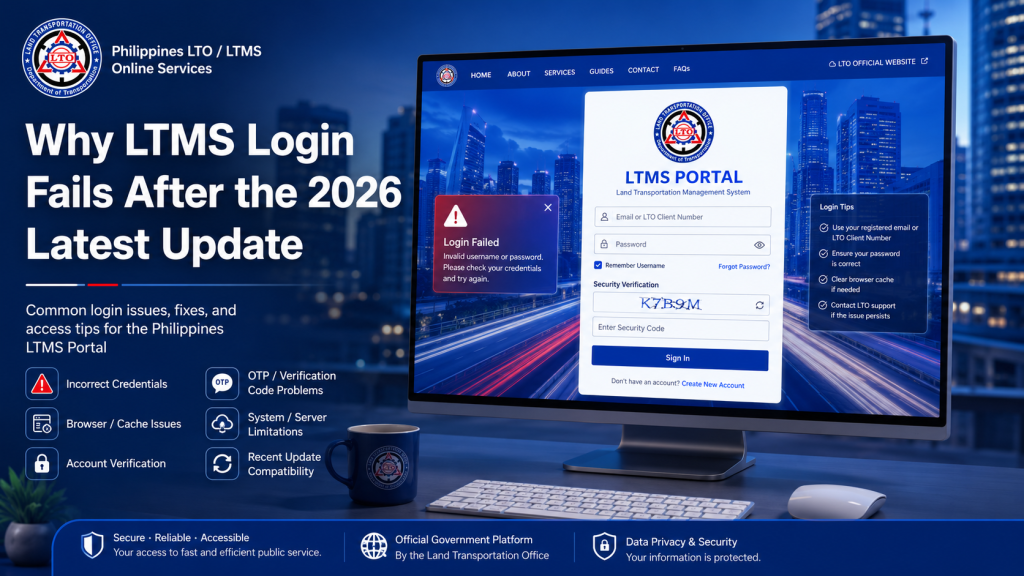
The most common reason people cannot log in is entering the wrong email, password, or Client ID.
Tip: Write down your correct login info in a secure place to avoid mistakes.
Common Reason 2: LTMS and eGovPH Are Not Linked
In 2026, many drivers are using eGovPH for renewals, but LTMS still manages official records. If your eGovPH account is not linked to your LTMS account, the system might treat you as a different user, causing login errors.
What to do:
Log in to LTMS first, then connect it to your eGovPH app using the same email and Client ID.
Common Reason 3: Unverified Email or Mobile Number
After registration, LTMS sends a verification link or code to your email or phone. If you missed this step or never completed it, your account may not activate fully.
This will cause login failure or redirect loops every time you try to sign in.
What to do:
Check your email inbox (including spam or promotions) and enter the correct verification code. If your mobile number didn’t receive the code, request a resend.
Common Reason 4: Forgotten or Expired Password
If you haven’t logged in for a long time, your password may expire or you might forget it. LTMS requires a secure password, and old passwords may no longer work.
Easy Fix:
Use the “Forgot Password” option on the LTMS login page to reset your password. Make sure you have access to the registered email or mobile number so you can receive the reset link or code.
Common Reason 5: System Maintenance or Server Issues
Sometimes the LTMS system itself may be undergoing updates or maintenance. During these periods, login errors can happen even when your credentials are correct.
What to do:
Wait a few minutes and try again. If the problem continues, try logging in at a different time, especially during non‑peak hours.
Common Reason 6: Browser or App Issues
Login failure can also be caused by:
Fixes:
Try clearing your browser’s cache, updating it to the latest version, or switching to a different browser. If using the mobile app, update the app or restart your phone.
Common Reason 7: Account Linked to Multiple Emails
Some users accidentally register LTMS and eGovPH with different emails. This creates mismatches that prevent recognition when trying to log in.
Tip:
Always register and log in with the same email and mobile number for both LTMS and eGovPH.
Step‑by‑Step Fix for Login Problems
FAQs
Conclusion
LTMS login failures in 2026 can be frustrating, but most are caused by common errors that are easy to fix. Make sure your details are correct, your account is verified, and LTMS is linked to your eGovPH profile.
With the right setup and accurate login info, you can access your account smoothly and use all online services without trouble.
If you want, I can format this into a WordPress‑ready SEO version with meta title, meta description, and structured headings for better ranking. Just let me know!


