
LTMS or eGovPH: Where to Renew Your License in 2026
Many drivers in the Philippines are confused about where to renew their driver’s license online. With two systems available — the LTMS Portal and the eGovPH app — it’s important to know which one to use for the fastest, easiest, and most reliable process in 2026.
In this article, you’ll learn:
- What each system does
- Which one is best for your situation
- Step‑by‑step tips for smooth renewal
- Common mistakes to avoid
What Are LTMS and eGovPH?
LTMS (Land Transportation Management System)
This is the official online portal of the Land Transportation Office (LTO). It stores your license records, violations, exam results, and more. You can use it to renew your license, check fines, and update your information.
eGovPH
This is a government mobile app that lets you access digital services from multiple agencies, including LTO license renewal. It’s designed to make transactions easier using your phone.
Can You Renew Your License in Both Systems?
Yes. In 2026, both systems can be used to renew your driver’s license online. But they work together in different ways.
In many cases, eGovPH handles the renewal process faster and more conveniently than using the LTMS website directly.
You can also read: Why LTMS Portal Registration Is Getting Delayed Update 2026
Why eGovPH Is Often Easier for Renewals
Here’s why many drivers prefer eGovPH:
Because of this, many drivers are choosing eGovPH for renewals, especially if they want a mobile‑friendly experience.
When You Should Use LTMS Instead
Although eGovPH is easier, there are times when you still need to use LTMS:
LTMS contains your complete official history, so it’s still essential for full access.
Step‑by‑Step Renewal Process (Best Way)
Here’s the easiest way to renew your license in 2026:
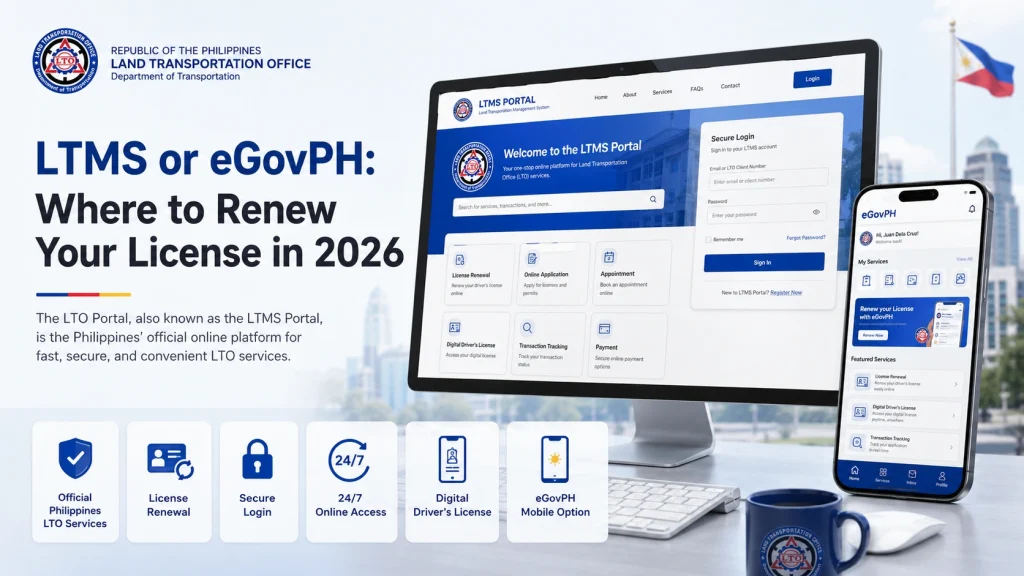
Create or log in to your LTMS account
This ensures all your records are correct before renewal.
Download the eGovPH app on your phone
Register and link your LTMS account.
Complete the requirements
Upload your medical certificate and exam results if needed.
Select “License Renewal” in the eGovPH app
Follow the instructions one step at a time.
Pay the renewal fees online
Use the secure payment options in the app.
Save your digital license or confirmation
Keep a screenshot or copy for your records.
This method combines the best of both platforms so you avoid errors and reduce delays.
Things to Know Before You Renew
Common Problems Drivers Encounter
Here are some issues people often face and how to avoid them:
Problem:
Verification codes not arriving
Tip: Check your spam folder, or try resending codes after a few minutes.
Problem:
Applications get stuck in processing
Tip: Confirm that all documents are uploaded and approved before paying fees.
Problem:
eGovPH app crashes
Tip: Update the app regularly and restart your phone before retrying.
Which Is Best For You in 2026?
| Situation | Best Option |
|---|---|
| Renewing license quickly | eGovPH app |
| First‑time setup | LTMS Portal |
| Updating personal info | LTMS Portal |
| Renewing from phone | eGovPH |
| Checking complete records | LTMS Portal |
In most cases, renewing through the eGovPH app after setting up your LTMS account first is the fastest and most stress‑free method.
FAQs
Conclusion
In 2026, both the LTMS Portal and the eGovPH app are valid and useful ways to renew your driver’s license. The best strategy is to link both systems so you benefit from the simplicity of the eGovPH app and the full history and service access of LTMS.
Using both together gives you flexibility, saves time, and ensures your records are correct and complete. Whether you renew at home or on your phone, you can confidently handle your license renewal without unnecessary trips or confusion.


