
Why LTMS Portal Registration Is Getting Delayed Update 2026
If you’ve been trying to register on the LTMS Portal and it’s taking longer than expected, you’re not alone. Many users experience delays in completing their registration or receiving confirmation emails. In this article, we’ll go through some of the common reasons behind LTMS Portal registration delays and provide solutions to speed up the process.
Common Reasons for LTMS Portal Registration Delays
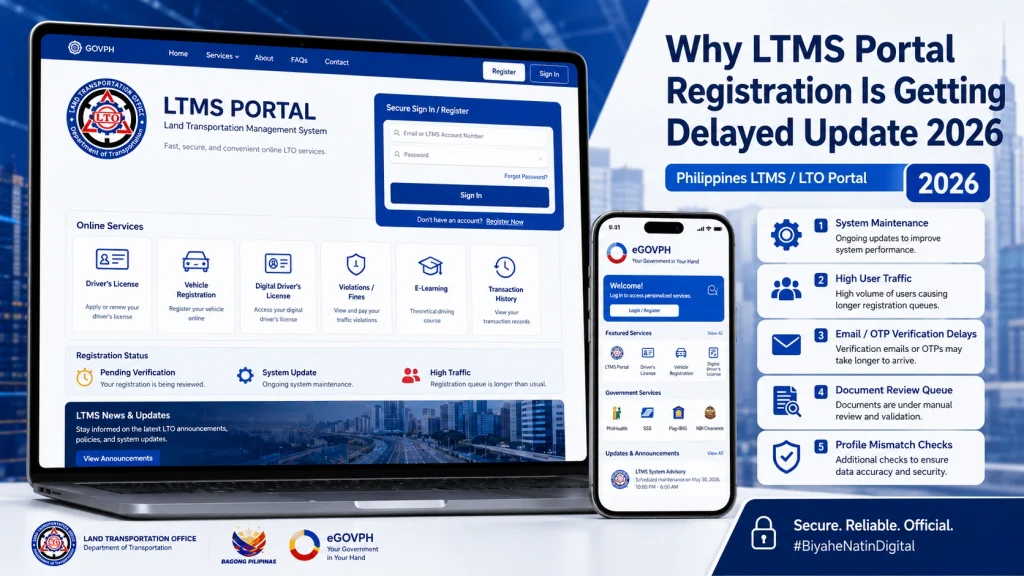
One of the most common causes of delays is a high volume of traffic on the portal. If there are many people trying to access the portal at the same time (such as during peak hours or right before a registration deadline), it can slow down the process and cause delays in registration.
How to fix it:
Be patient: If the portal is slow, wait a few minutes before trying again or refreshing the page.
Try registering during off-peak hours: Early mornings or late evenings might be less busy, so consider registering at these times.
After you complete the registration process, you will typically need to verify your email address to activate your account. Sometimes, there may be delays in receiving the verification email due to issues with the email server or a high volume of registration requests.
How to fix it:
Try using a different email address: If you still don’t receive the email after waiting, use a different, valid email address for registration.
Check your spam/junk folder: The verification email may be filtered as spam.
Wait for 24 hours: Sometimes the email can take up to 24 hours to arrive.
If the personal information you entered during registration doesn’t match LTO’s records, your registration may be delayed. This includes issues like spelling mistakes, missing middle names, or discrepancies in your date of birth.
How to fix it:
Correct any typos: If you spot any spelling or formatting errors, update your information in the LTMS Portal.
Double-check the details you entered: Ensure your name, date of birth, and other information exactly match your official documents (such as your driver’s license or ID).
Sometimes, technical glitches or bugs in the LTMS Portal can cause delays in the registration process. This might include problems like registration not being saved, forms not submitting correctly, or a page freezing during the process.
How to fix it:
Use a different device: If the issue still occurs, try registering on a different device (e.g., switching from a phone to a computer).
Clear your browser cache: Cached data can interfere with the registration process. Go to your browser settings and clear the cache and cookies.
Try a different browser: If the issue persists, try using a different web browser (such as Chrome, Firefox, or Safari).
If you haven’t uploaded the required documents or if they’re of poor quality, your registration may be delayed. The LTMS Portal typically requires scanned copies of your ID, driver’s license, or proof of address for verification.
How to fix it:
Verify the document format: Check that the files are in an accepted format, such as JPEG, PNG, or PDF.
Ensure that all required documents are uploaded: Make sure you have uploaded the correct documents as per the LTMS requirements.
Check document quality: Ensure the images or scans are clear, legible, and meet the portal’s specifications.
Occasionally, LTMS may undergo system updates or maintenance that can temporarily delay or disrupt registration. This is often communicated through the portal or the official LTO social media channels.
How to fix it:
Try registering later: If the system is under maintenance, wait until the updates are complete and try registering again later.
Check for announcements: Look out for any official announcements from LTO about scheduled maintenance or updates on the LTMS Portal.
You can also read: Is LTMS Still Needed After the eGovPH Update? 2026 Guide
What You Can Do While Waiting for Your Registration to Process
If your LTMS registration is delayed, here are a few steps you can take while waiting:
Check the portal regularly:
Sometimes, the registration may be processed in the background while you’re not logged in. Check back periodically to see if your registration has been completed.
Prepare for next steps:
While waiting for your registration to complete, gather any other required documents or information you may need to continue the process, such as your CDE exam results or vehicle details.
Be patient:
Many delays are temporary, and your registration will likely be processed once the backlog is cleared or the system is updated.
When to Contact LTO Support
If you’ve followed the steps above and your registration is still delayed after a reasonable time, it may be time to contact LTO customer support. Here’s when to reach out:
How to contact LTO support:
Email:
You can reach out to LTO’s customer support via email for assistance.
Phone support:
Call the LTO customer service hotline to inquire about the status of your registration.
FAQs
Conclusion
Registration delays on the LTMS Portal can be frustrating, but most issues can be fixed with a few simple steps. By checking your personal information, ensuring you’ve uploaded the correct documents, and waiting for high-traffic times to pass, you can complete your registration successfully. If all else fails, don’t hesitate to contact LTO support for assistance.
Stay patient, and soon you’ll be able to enjoy the convenience of using the LTMS Portal without any further issues.


