
LTMS OR/CR Not Showing: What to Do – Latest Update 2026
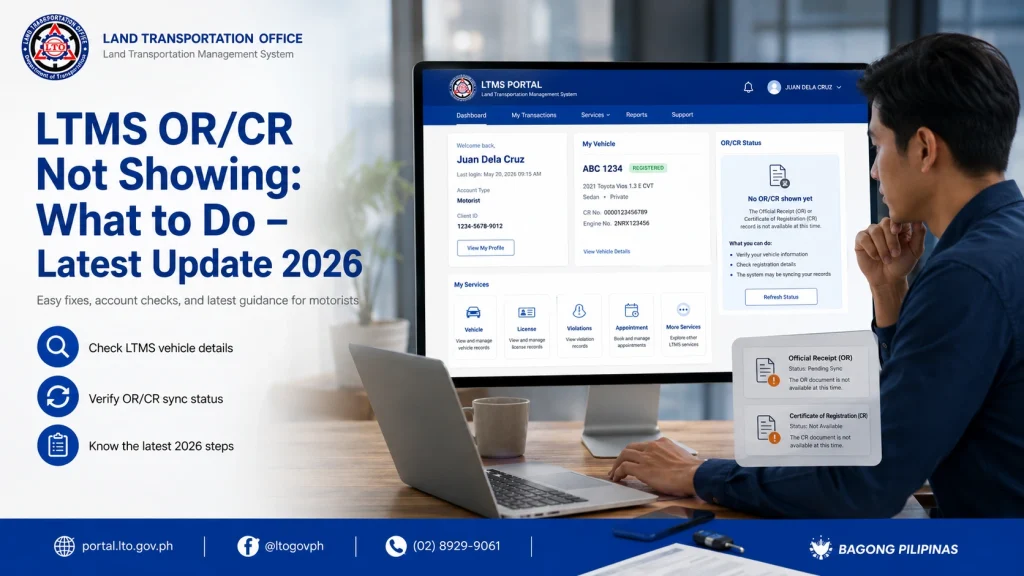
If your Official Receipt (OR) or Certificate of Registration (CR) is not showing in your LTMS portal account, it can be frustrating, especially when you need it for vehicle verification, renewals, or compliance. This is a common issue for drivers in the Philippines, but it is usually easy to resolve if you follow the right steps.
Why OR/CR May Not Appear in LTMS
There are several reasons why your OR/CR may not show online:
Payments and registration updates may take time to sync with the LTMS portal. Sometimes the system updates only once or twice a day, especially during peak traffic periods.
If your Client ID, plate number, or email was entered incorrectly during registration or payment, the OR/CR may not appear. Even small typos can prevent your documents from being reflected.
Some payments or registration updates require manual verification by LTO staff. Until staff confirms your payment, the portal may not show the OR/CR.
The LTMS portal occasionally undergoes maintenance or experiences technical glitches, which may temporarily hide OR/CR documents.
In some cases, updates to OR/CR are only reflected after the local LTO branch processes and confirms the documents. Delays at the branch can affect the online record.
Understanding these reasons helps drivers remain patient and ensures they follow the correct steps to resolve the issue.
You can also read: Can OFWs Use LTMS Portal Abroad? Everything You Need to Know
Steps to Resolve the Issue Of OR/CR
Verify Your Payment or Registration Status
Confirm that your payment for registration or renewal was successful. Check your bank statement, online payment receipt, or LTO receipt to ensure the transaction went through. Keeping a screenshot of the receipt can help in case of discrepancies.
Confirm Account Details
Ensure your LTMS profile has the correct Client ID, registered email, and vehicle information. Incorrect account details are a major reason OR/CR records don’t appear. Update your account if necessary.
Wait for System Updates
Some updates take 24–72 hours to appear on LTMS after successful payment or registration. Avoid repeated login attempts or resending requests during this period as it may cause temporary locks.
Resend or Refresh Document Updates
If the portal has an option to resend verification or refresh your records, use it. This can trigger the system to sync your OR/CR automatically.
Contact LTO Support
Provide your Client ID, vehicle information, and proof of payment. LTO staff can manually update your OR/CR in the system. Email, hotline, or visiting the branch in person are all valid options.
Tips to Prevent Future OR/CR Delays
Understanding System Limitations
High traffic periods:
During peak hours, updates may be slower. Be patient and allow for a full business day for changes to reflect.
Pending branch verification:
Some documents are only reflected after manual verification at the local LTO branch.
Server or technical issues:
System maintenance or glitches may temporarily prevent updates.
Being aware of these limitations helps you understand why the OR/CR may not appear immediately and prevents unnecessary repeated actions.
How to Verify OR/CR Directly
If you need urgent verification and the portal hasn’t updated:
This ensures your records are accurate while waiting for the online portal to sync.
Common Errors Drivers Make That Delay Updates
Certain mistakes can cause unnecessary delays:
Avoiding these errors saves time, prevents duplicate payments, and ensures your OR/CR appears correctly.
How to Track Multiple Vehicles or Accounts
If you manage multiple vehicles or family accounts:
This helps ensure no OR/CR is missed or overlooked across multiple vehicles.
FAQs
Conclusion
If your OR/CR is not showing in LTMS, it’s usually a temporary issue. Verify your payment, confirm your account details, allow time for system updates, and contact LTO support if necessary. Keeping accurate records, using official payment channels, and avoiding common mistakes ensures that your OR/CR appears correctly, helping you stay compliant and avoid issues on the road.


