
Medical Exam Not Showing in LTMS? Here’s What to Do (2026)
If you took your LTO medical exam but it’s still not showing in your LTMS (Land Transportation Management System) Portal, don’t panic. This is a very common issue, and there are easy ways to fix it.
This guide explains why your medical exam might not appear in the portal, how long it usually takes, and what steps you should take so it updates correctly.
What It Means When Your Medical Exam Is Not Showing
When you apply for a driver’s license renewal, upgrade, or new license, you must complete an LTO‑recognized medical exam. The medical exam result should then be linked to your LTMS account so you can proceed with your transaction.
When it’s not showing, it usually means that:
Even though you passed the exam, it may not appear online until everything is properly processed.
You can also read: Insurance Not Reflecting in LTMS Portal? What to Do (2026)
Why It Happens
Here are the main reasons your medical exam may not show up in LTMS:
Clinic Didn’t Send It to the LTO Database
Most medical clinics that conduct driver medical exams must transmit results electronically or send the printed forms to the LTO branch. If this step is skipped or delayed, your medical record won’t show in LTMS.
Delay at the LTO Branch
Even if the clinic sends the result, the LTO branch must accept and upload the record into their system. If the branch is slow or busy, it may take time.
Incorrect Details
If your name, driver’s license number, birthdate, or other details on the medical form don’t exactly match what’s in the LTMS system, it may fail to link.
System Sync Delays
LTMS relies on multiple offices sending updates, and sometimes the system just doesn’t sync immediately.
How Long Should It Normally Take?
There is no single fixed timeline, but most medical exam results should start showing in LTMS within a few days to two weeks after you complete the exam and submit the forms.
If it’s been more than two weeks and it still doesn’t show up, you need to take action.
How to Fix the Problem
Here’s a step‑by‑step plan you can use:
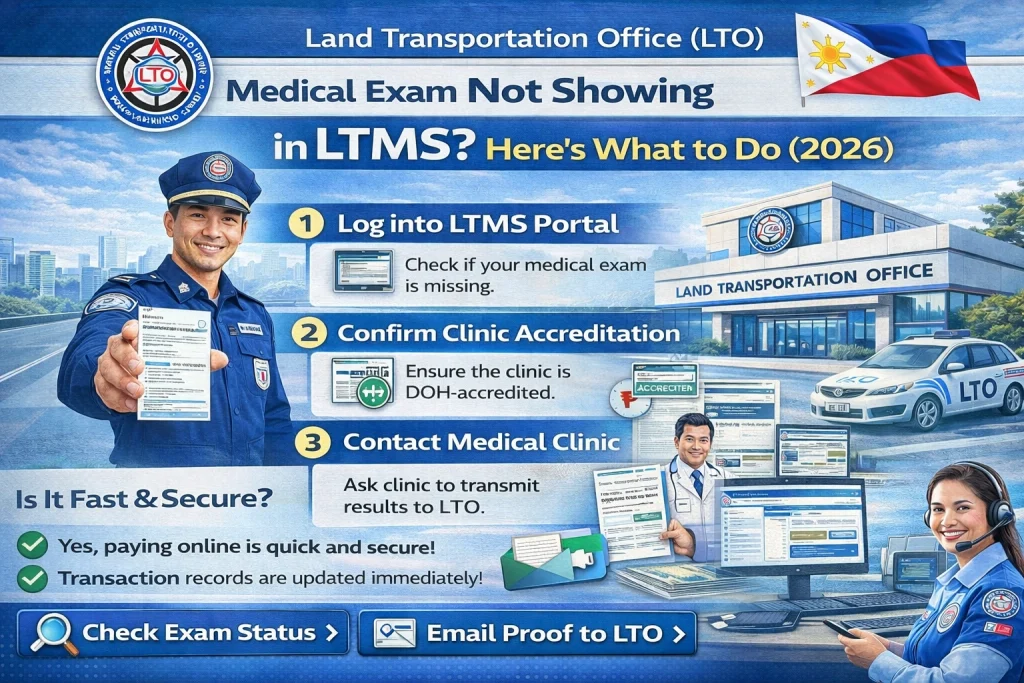
Call or visit the clinic where you took your medical exam and ask:
Many times the clinic forgets to send the data or sends it incorrectly.
Log in to your LTMS account and verify that the following are exactly correct:
Even a small difference like a missing hyphen or extra space can block the system from linking the medical result.
Correct any mistake if you see it.
If the clinic has just transmitted your result and it’s only been a few days, wait 3–5 working days and check again.
Sometimes systems take time to update.
Go to or call the LTO branch where your medical exam was done and ask:
LTO staff can manually check the database and tell you exactly where it is.
Inside the LTMS Portal, there’s usually a Help / Support feature. Use it to send a message that includes:
Attach screenshots if possible.
Support can check if the record was received and assist in correcting it.
If phone calls or online support don’t fix it, go to the LTO branch in person. Bring:
Ask the staff to locate your record in the system and update it manually.
Most of the time, once they see the printed medical result, they can fix it in the system.
Why It Matters That Medical Shows in LTMS
Your medical exam result must show in LTMS because:
Tips to Avoid Medical Upload Problems
Here are some practical tips:
Check that the clinic is LTO‑accredited
Only accredited clinics should send results to LTO.
Verify your details before the exam
Make sure your name, birthdate, and license number are correct.
Ask for proof of submission
Request the clinic to show you that they already transmitted your result.
Save all receipts and forms
These help during follow‑up at the branch.
Check LTMS regularly
Sometimes results take a few days to appear.
FAQs
Conclusion
If your medical exam is not showing in your LTMS portal, it’s usually because the record has not yet been properly sent, uploaded, or linked.
Start by verifying with the clinic, check your details, then contact the LTO branch or LTMS support if needed.
With a few simple steps and the right information, you can fix it and continue your renewal or application without stress.


