
LTMS Portal Not Showing TDC Completion? Easy Fix 2026
You finished your Theoretical Driving Course, but your LTMS Portal still does not show your TDC completion.
That can be frustrating, especially if you need to apply for a student permit.
The good news is this problem is usually fixable. Most of the time, your TDC record is missing because the driving school has not uploaded it yet, the wrong LTMS Client ID was used, or the system has not updated.
Quick Fix of TDC Completion
If your TDC completion is not showing in LTMS, contact your driving school first and ask if they already uploaded or electronically transmitted your TDC certificate to LTO-LTMS. Accredited driving schools are expected to transmit certificates to the LTO system, and some providers clearly state that they electronically transmit the TDC Certificate of Completion to LTO-LTMS after the student passes.
You can also read: Track Your Driving Exam Certificate Online Update 2026
Why Your TDC Completion Is Not Showing
- This is the most common reason.
- You may have completed the class, but your school may still need to encode or upload your certificate. Some users report that there can be a queue for uploading TDC records to LTMS.
- Your TDC may have been uploaded under the wrong LTMS Client ID.
- This can happen if you gave the wrong number, used a different email, or created more than one LTMS account.
- Small mistakes can stop the record from matching your LTMS account.
- Check your:
- Full name
- Birthday
- LTMS Client ID
- Registered email
- Driving school record
- If you created two LTMS accounts, your TDC record may be linked to the other one.
- Do not create another account just to fix the issue. It may make the problem harder.
- Sometimes the school already uploaded the TDC, but the portal does not show it right away.
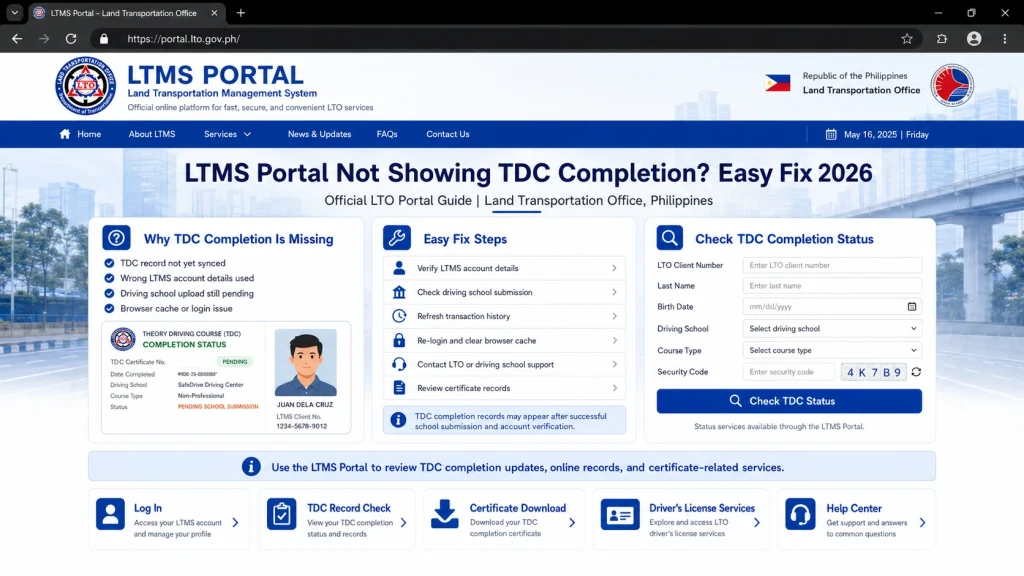
- Try logging out, clearing your browser cache, and checking again later.
How to Fix TDC Completion Not Showing in LTMS
Step 1: Check the right LTMS sections
Log in to the official LTMS Portal and check:
The official LTMS Portal includes login, registration, e-learning, and licensing information sections.
Step 2: Contact your driving school
This should be your first move.
Ask them:
“Good day. I already completed my TDC, but it is not showing in my LTMS account. Can you please check if my TDC certificate was already uploaded or transmitted to LTO-LTMS?”
Give them your:
Step 3: Ask them to check for encoding mistakes
Ask the school to verify if these details are correct:
Even one wrong digit in your Client ID can send the certificate to the wrong record.
Step 4: Ask for a copy of your TDC certificate
Even if the certificate is uploaded online, ask for a copy.
A Reddit discussion about missing TDC records also includes users advising others to ask the driving school for a copy of the TDC certificate.
Keep both:
Step 5: Contact LTO Client Care if the school already uploaded it
If the driving school says they already uploaded your TDC but it is still missing, contact LTO Client Care.
Use this email: TDC Completion Not Showing in LTMS
TDC Completion Not Showing in LTMS
Dear LTO Client Care,
Good day.
I would like to request assistance because my TDC completion is not showing in my LTMS account.
Here are my details:
Full Name:
Birthday:
LTMS Client ID:
Registered Email Address:
Driving School Name:
Driving School Branch:
Date of TDC Completion:
Certificate Number, if available:
My driving school informed me that my TDC certificate has already been uploaded/transmitted, but it is still not appearing in my LTMS account.
I have attached my proof of completion, valid ID, and screenshots from my LTMS account.
Kindly help verify and update my TDC record.
Thank you.
Sincerely,
Your Name
What Documents Should You Prepare?
Prepare these before contacting LTO or your driving school:
Should You Retake the TDC?
Not right away.
If you really completed the course, ask your driving school to verify the upload first. Most missing TDC problems are caused by upload delay or wrong account details, not because the student needs to take the course again.
Only retake the course if the driving school or LTO confirms that your record cannot be validated.
Quick Checklist
Before you visit LTO, make sure you have done these:
FAQs
Conclusion
If LTMS is not showing your TDC completion, do not panic and do not retake the course immediately.
Start with your driving school. Ask them to check the upload, confirm your LTMS Client ID, and correct any wrong details. If they already uploaded it and the record is still missing, contact LTO Client Care with screenshots and proof.


