
LTMS Violations Not Showing After Payment: What to Do (2026)
If you recently paid a traffic violation through the LTMS portal but it still doesn’t appear in your account, you’re not alone. Many drivers face this issue due to system delays, processing errors, or incorrect information. This guide will help you understand why this happens and what you can do to fix it quickly.
Why Violations May Not Show
Several factors can prevent your payment from being reflected in LTMS:
Processing delays: It may take a few hours or days for the payment to be updated.
Bank or payment processor issues: Payments may not immediately sync with LTMS.
Incorrect information: Wrong vehicle plate number or Client ID during payment can prevent updates.
Pending verification: LTO staff may need to manually verify some payments before posting.
Knowing the reason helps you determine the best action.
You can also read: LTMS OR/CR Not Showing: What to Do – Latest Update 2026
Steps to Fix the Issue
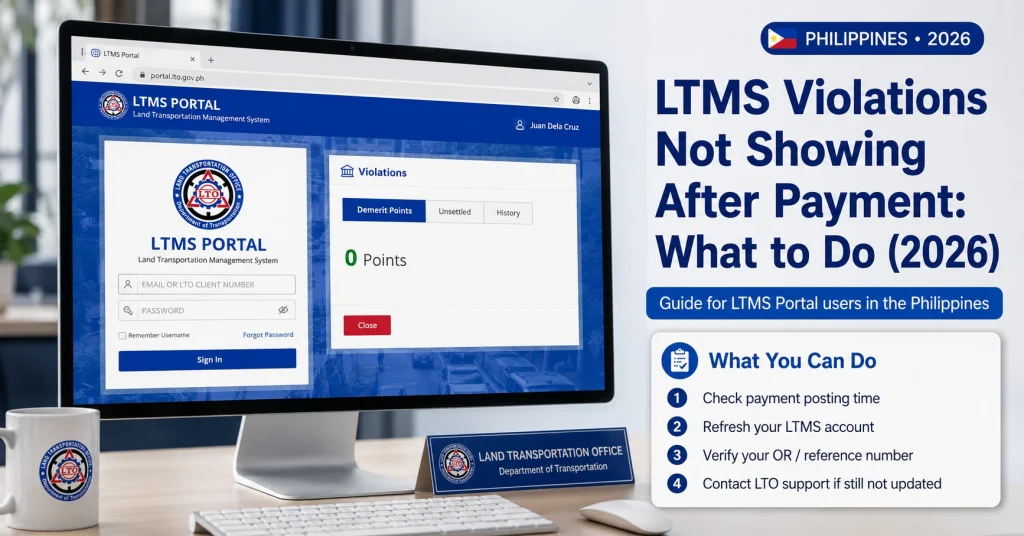
Ensure your bank or payment platform shows that the transaction was successful. Save screenshots or receipts.
Sometimes the system takes 24–72 hours to reflect payments. If it’s been less than a day, wait before taking further action.
Check that your LTMS account has the correct Client ID, registered email, and vehicle information.
Some portals allow you to manually resend or re-verify payment details.
If the payment still doesn’t show, contact LTO via email, hotline, or visit a branch. Provide proof of payment, vehicle details, and your Client ID. Staff can manually update your account.
Tips to Prevent Future Issues
Common Reasons for Delayed Payment Updates
| Reason | Description | Suggested Action |
|---|---|---|
| Processing delays | Payments take time to sync with LTMS | Wait 24–72 hours, check again |
| Bank/payment issues | Payment failed or delayed in transit | Verify with bank and save receipt |
| Incorrect account details | Wrong Client ID, plate number, or email | Confirm details and update in LTMS |
| Pending verification | Manual verification required by LTO | Contact LTO support for update |
| Technical errors | Portal may experience downtime or glitches | Retry later or report issue to support |
How to Confirm Your Payment Was Recorded
Before contacting support, verify your payment record:
Handling Multiple Violations at Once
If you paid more than one violation and some are not showing:
FAQs
Conclusion
A payment not showing in LTMS is frustrating, but it’s usually temporary and easily fixable. Check your payment confirmation, allow for processing time, verify account details, and contact LTO support if needed. Keeping accurate records and using official payment channels ensures your violations are updated correctly and your driving record remains accurate.


