
Can You Pay LTO Fines Online in LTMS? (2026 Guide)
If you received a traffic violation in the Philippines, you might be wondering:
“Can I pay my LTO fine online through the LTMS Portal?”
The short answer is yes — but it depends on the type of violation and where it was recorded. This guide explains exactly how it works in 2026, what the steps are, and how to do it so you don’t get confused.
What Is LTMS and Why It Matters
LTMS stands for Land Transportation Management System. It is the official online portal of the Land Transportation Office (LTO) where motorists can:
This portal makes it easier to handle fines without visiting an LTO branch.
You can also read: LTO Violation Payment Deadline in 2026 (Philippines)
Can You Pay LTO Fines Online Through the LTMS Portal?
Yes — You Can Pay Some LTO Fines Online in LTMS
In 2026, the LTMS Portal allows online payment for many traffic violations that are directly recorded and posted in the system.
When you log in and a violation shows up, you may see a button like:
This means the LTO has already recorded the fine in the system and you can pay it using the portal’s payment options.
So yes — if the violation is recorded and posted, you can often pay directly inside the LTMS Portal.
Which Fines Can Be Paid Online?
Online payment is usually possible for violations that:
Common violations that can usually be paid online include:
However, not all violations may be available for online payment, especially if:
In these cases, you might need to pay through a branch or partner center instead.
How to Pay LTO Fines Online (Step‑by‑Step)
Here is a simple step‑by‑step you can follow:
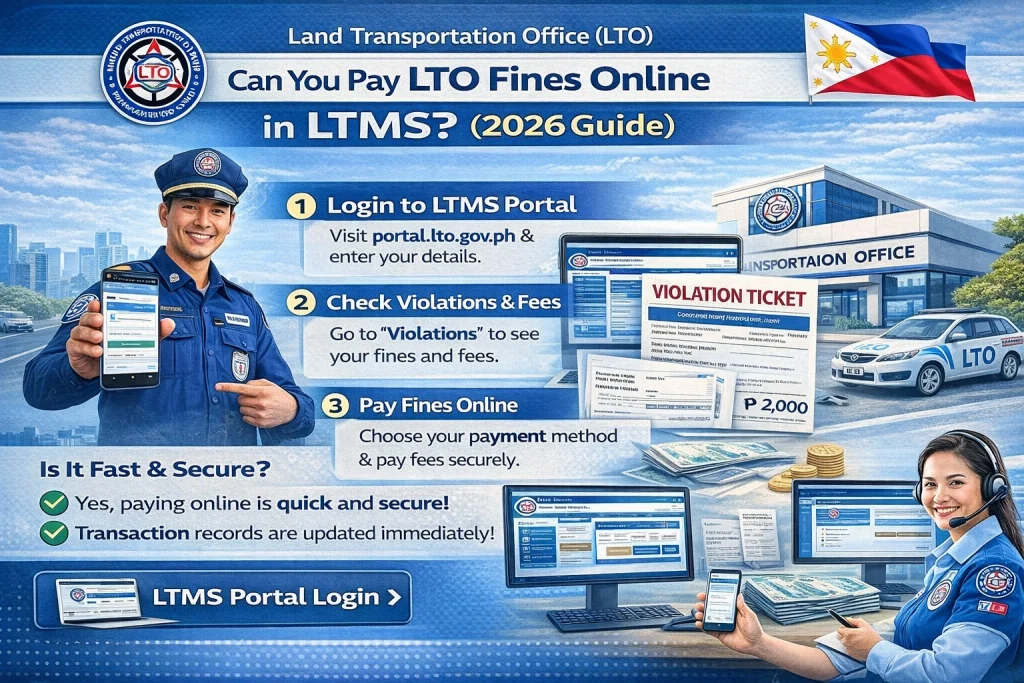
- Use your registered email and password.
- You will see a list of your posted violations.
- Look for the fine that shows an amount and deadline.
- This appears when the fine is ready for online payment.
- The portal may let you pay using options like:
- Debit or credit card
- Online banking (linked options)
- Recognized payment partners (if available through LTMS)
- Review the fine details and proceed with your payment.
- Always keep the official receipt for your records.
What If “Pay Online” Is Not Available?
If a violation shows up in your account but the portal does not show an online payment option, it could be because:
In these cases, you can:
What If the Violation Doesn’t Show Yet in Your LTMS Account?
Sometimes you might know you received a ticket, but it’s not showing in the portal yet. In this case:
Until it appears in the system, you may not be able to pay online.
Tips for Paying LTO Fines Online
Check your account often
Violations may be posted days or weeks after they were issued.
Verify details before paying
Make sure the name, plate number, and violation match your records.
Save your receipt
Download or screenshot your payment receipt and keep it safe.
Avoid fake payment links
Only pay through the official LTMS Portal or authorized LTO channels.
Set a reminder
Don’t wait until the last day — set a deadline reminder so you don’t incur penalties.
Can You Pay at LTO Even If Online Is Not Available?
Yes. You can still pay fines in person if online payment isn’t available. The main options include:
Bring your:
FAQs
Conclusion
Yes, you can pay some LTO fines online through the LTMS Portal in 2026, but this depends on whether the violation has been clearly posted and recorded in the system.
If you see the violation in your LTMS account and the “Pay Online” button appears, you can settle it online.
If not, check again later, visit an LTO branch, or ask the issuing office.
Being patient and checking regularly avoids late penalties and makes your fine payment smooth and hassle‑free.


