
LTMS Registered But OR/CR Is Still Missing? What to Do (2026)
If you’ve registered your vehicle in the LTO LTMS Portal but your Official Receipt (OR) and Certificate of Registration (CR) haven’t shown up yet, you’re not alone. A lot of vehicle owners in the Philippines experience this confusion. This guide breaks it down in a friendly, clear, and practical way so you know what’s happening — and what you can do about it.
What Exactly Is OR and CR?
Before anything else, let’s make sure we’re on the same page.
OR (Official Receipt) – This is proof that you paid your vehicle registration fees and taxes. It comes from the Land Transportation Office (LTO).
CR (Certificate of Registration) – This shows you are the legal owner of the vehicle and contains important details like chassis number, model, plate number, etc.
These are important documents you’ll need when renewing your registration, selling your vehicle, or submitting to inspections.
You can also read: Temporary CR Rules for New Cars in 2026 (Philippines)
Why You Registered in LTMS But Don’t See OR/CR
Even after signing up for the LTMS Portal and linking your vehicle, some users find that the OR and CR don’t show up in the portal dashboard. Here’s why this often happens:
OR/CR Might Not Yet Be Uploaded or Linked
Just because your vehicle shows up in the portal doesn’t always mean the OR/CR files are already in the system — especially if:
On many platforms, users report that their OR/CR shows on the portal early but the official documents and emails haven’t arrived yet — and it sometimes takes a few days for everything to show up fully.
How Long Should It Take?
There’s no exact timeline published by LTO for when OR/CR must appear in your LTMS account, but here’s a good rule of thumb:
Why You Might Not Get OR/CR Emails Yet
Another reason you don’t see your OR or CR online is simply this:
LTO has issued or linked your vehicle in the system, but they haven’t sent the email notification yet.
This is common — owners sometimes get:
What You Can Do If Your OR/CR Is Missing
Here is a simple checklist you can follow:
Check the LTMS Portal Again
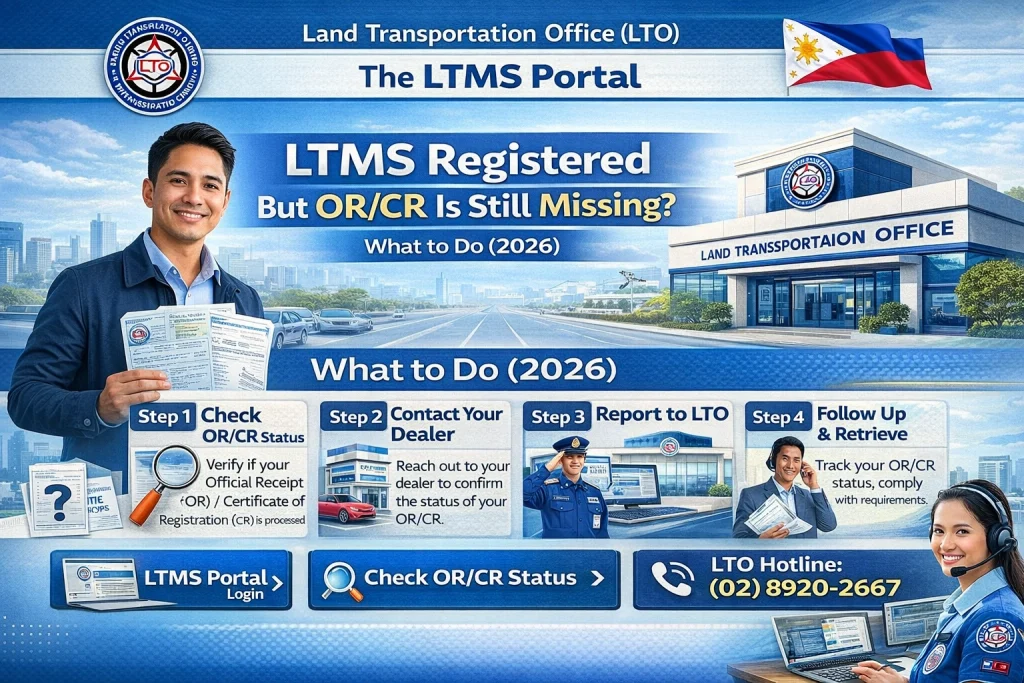
If you don’t see them yet, go to the next steps.
Especially for newly registered vehicles, OR/CR might still be processing with LTO or your dealer. Be patient for a few days, especially if you just got your portal account approved.
If your OR/CR still hasn’t shown up after a few weeks:
Write an email using the Contact / Help tab inside the LTMS portal.
Explain your vehicle details, plate number, and registration date.
Ask when OR/CR will be reflected in the system.
Many people have reported success after contacting client care this way and hearing back in a few days.
Tip: Take screenshots
If client care doesn’t solve it online or you need faster help:
Bring your receipt or dealer documents.
Bring your LTMS account details.
Ask them to verify that your OR/CR has been fully processed and linked.
In some cases, LTO staff can manually update or sync your info so it shows up properly.
Sometimes the problem isn’t the portal — it’s that the dealership hasn’t submitted your OR/CR on time.
In fact, LTO has warned dealers to release plates and important documents on time or face penalties — because delays are a common issue right now.
So if your dealer hasn’t handed you your OR or plate yet, ask them for a status update — it might not even be LTO’s fault.
Helpful Tips To Avoid OR/CR Problems
Here are some quick tips that really help:
How to Avoid Future LTMS Registration Issues
Preventing issues before they arise is always a good idea. Here’s what you can do:
By staying on top of these, you can avoid any hassle later down the line!
FAQs
Conclusion
It’s normal for OR and CR not to show up immediately in your LTMS portal even after registering your vehicle. The online system is evolving, and delays still happen — especially for new vehicles and new accounts.
But don’t worry — as long as your portal account shows your vehicle and registration record, you can follow up with LTO or your dealer to get your official OR/CR confirmed, whether online or in person.
Be patient, keep the right documentation, and if needed, take action through customer support or by visiting your LTO branch.


