
How to Check Your CDE Exam in LTMS Portal Update 2026
Need to renew your driver’s license? Then you may need to take the CDE Online Validation Exam in the LTMS Portal.
CDE means Comprehensive Driver’s Education. It is connected to driver’s license renewal in the Philippines.
The good thing is, you can check and take the CDE exam online through the official LTMS Portal. The official LTMS page says the CDE Online Validation Exam is used for driver’s license renewal applications.
Quick Answer
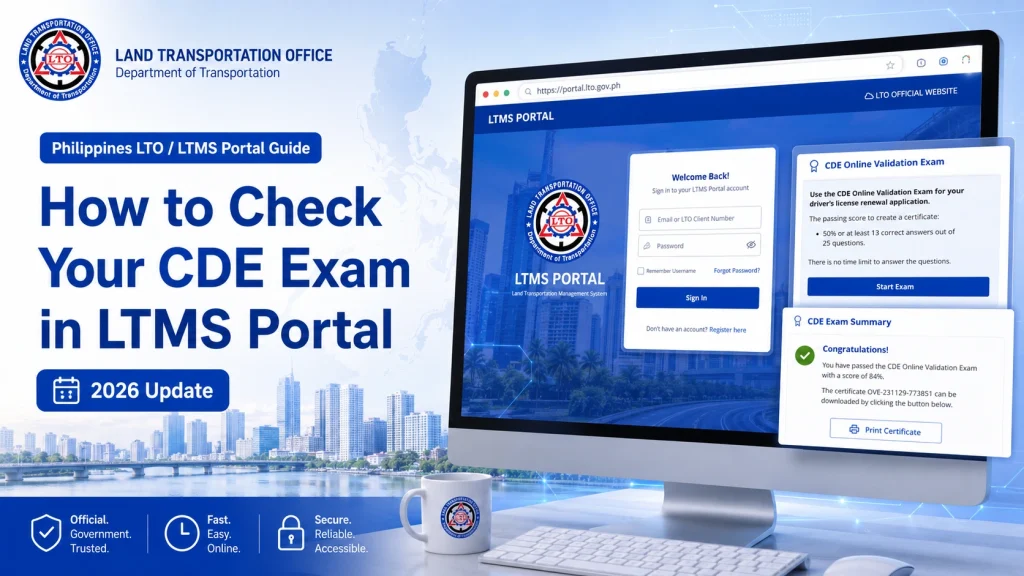
To check your CDE exam in LTMS, go to the official LTMS Portal, click E-Learning, choose CDE Online Validation Exam, log in to your LTMS account, and check your exam status or certificate.
If you already passed, download or print your CDE certificate. If you have not taken it yet, start the exam and answer the questions.
You can also read: Missing Driving Course Certificate in LTMS? Easy Fix (2026)
Step-by-Step Guide to Check Your CDE Exam in LTMS Portal
Open your browser and visit the official LTMS Portal.
Use the official LTO website only. The LTMS homepage includes options like E-Learning, CDE Online Validation Exam, Driver’s License Renewal Course, Register, and Login.
On the homepage, look for E-Learning.
This section contains learning materials and exam links for drivers.
Click CDE Online Validation Exam.
This is the exam used for driver’s license renewal.
Enter your LTMS login details.
You may use your:
- Registered email
- Username
- LTO Client ID, if allowed
- Password
If you do not have an LTMS account yet, register first.
Once inside, look for your exam status.
You may see:
- Not started
- In progress
- Passed
- Failed
- Certificate available
If you passed before, check if the certificate is ready for download.
If you passed the exam, save a copy of your certificate.
You can:
Check your email for a copy
Download it as PDF
Print it
Save a screenshot
Keep a copy before starting your license renewal transaction.
What If You Have Not Taken the CDE Exam Yet?
Start the exam from the CDE Online Validation Exam page.
A current guide explains that the exam has 25 multiple-choice questions, and you need 13 correct answers to pass. It also says the result appears immediately after the exam.
Read each question carefully. Do not rush.
Where to Find the CDE Certificate in LTMS
Check these sections:
Sometimes the certificate is not on the homepage. You may need to open the exam section again.
Why You Cannot See Your CDE Exam
You are not logged in
Some CDE pages may open publicly, but your exam result needs your account.
You used another LTMS account
If you have more than one account, your certificate may be linked to the other one.
You did not pass yet
If you failed or did not finish, no certificate will be created.
The system has not updated
Log out, wait a little, then log in again.
Your browser has a problem
Try using:
Google Chrome
Incognito mode
A laptop or desktop
A stable internet connection
What to Do If Your CDE Certificate Is Missing
If you passed but cannot find your certificate:
Use this email template:CDE Exam Certificate Not Showing in LTMS
CDE Exam Certificate Not Showing in LTMS
Dear LTO Client Care,
Good day.
I would like to request assistance because my CDE exam certificate is not showing in my LTMS account.
Here are my details:
Full Name:
LTMS Client ID:
Registered Email Address:
Date I took the CDE Exam:
Exam Result, if shown:
I have attached screenshots of my LTMS account and CDE exam page.
Kindly help verify my CDE exam record and certificate.
Thank you.
Sincerely,
Your Name
Quick Tips
FAQs
Conclusion
Before renewing your license, check your CDE exam first. Make sure the certificate is available and saved. This can help you avoid delays when you start your driver’s license renewal in LTMS.


