
LTMS Portal Payment Not Reflected? Solutions Update 2026
You paid your LTO fee online, but the LTMS Portal still shows unpaid, pending, or no payment record.
That can be stressful, especially if you need to renew your license, register your vehicle, or settle a violation.
The good news: this does not always mean your payment failed. Sometimes the payment gateway is just delayed, the transaction is still being verified, or the portal has not updated yet.
What is LTMS Portal Payment?
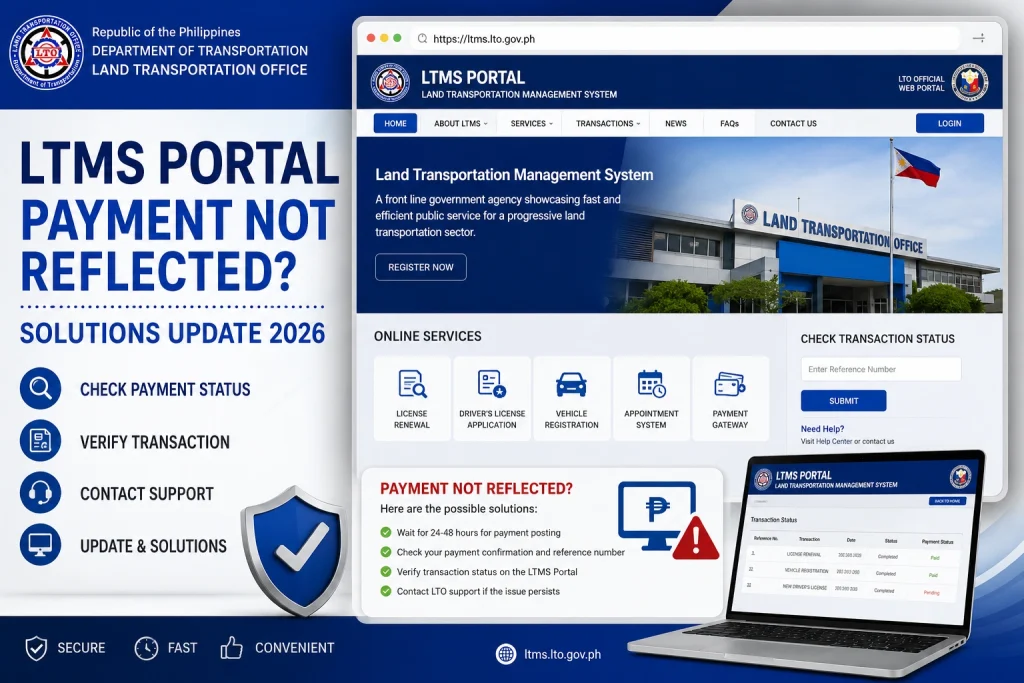
If your LTMS payment is not reflected, first check your payment receipt, reference number, email confirmation, and payment app history. Then log out and log back in to LTMS. If the payment is still missing after a reasonable waiting time, contact LTO Client Care through the official LTMS contact page and attach proof of payment. The official LTMS site has a Contact Us page for sending concerns to LTO Client Care.
You can also read: LTMS Portal for OFW License Renewal: Step-by-Step Guide 2026
Why Your LTMS Payment Is Not Showing
Online payments do not always update instantly. Your e-wallet, bank, or payment gateway may mark the transaction as successful before LTMS updates your transaction status.
Sometimes the problem is not your account. It may be the payment processor or gateway. LTO has issued public clarifications about online payment gateway concerns and payment options, showing that payment processing issues do happen from time to time.
If you closed the browser before the payment page redirected back to LTMS, the payment may not sync properly right away.
Always check if the reference number in your receipt matches the LTMS transaction you were trying to pay.
Some MMDA or LGU violations may not appear the same way in LTMS. LTMS lets users check LTO violations, unsettled dues, and transaction history, but not every outside ticket will behave the same way.
What to Do First
Step 1: Do not pay again immediately
Do not repeat the payment right away. You might get charged twice.
Wait, refresh, and check your transaction history first.
Step 2: Save proof of payment
Take screenshots of:
Step 3: Check LTMS again
Log in to the official LTMS Portal and check:
The official LTMS portal is portal.lto.gov.ph.
Step 4: Check your payment app or bank
Open GCash, Maya, online banking, card app, or Landbank receipt page and confirm if the money was actually deducted.
If it says failed, reversed, or pending, contact the payment provider first.
Step 5: Contact LTO Client Care
If your money was deducted but LTMS still does not show the payment, report it to LTO.
Use this email format:LTMS Payment Not Reflected
LTMS Payment Not Reflected
Dear LTO Client Care,
Good day.
I would like to request assistance because my LTMS payment is not reflected in my account.
Here are my details:
Full Name:
LTMS Client ID:
Registered Email Address:
Transaction Type:
Amount Paid:
Payment Date and Time:
Payment Method:
Reference Number:
I have attached my proof of payment and screenshots from my LTMS account.
Kindly help verify and update the payment status.
Thank you.
Sincerely,
Your Name
What Proof Should You Attach?
Attach clear copies of:
Can You Pay at LTO Instead?
Yes, in many cases. LTO clarified that its services are not limited to online payment only, and payment options should not be restricted without authority.
If your online payment keeps failing, visiting an LTO office may be the safer option.
FAQs
Conclusion
If your LTMS payment is not reflected, stay calm and document everything. The most important things are your reference number, payment receipt, and LTMS transaction screenshot. Do not pay twice unless LTO or your payment provider confirms the first payment failed.


