
LTMS Portal and Driver’s License Already Registered (2026)
When you try to register your driver’s license on the LTMS Portal and see the message “Driver’s License Already Registered,” it usually means the system thinks that license number is already linked to an existing portal account. This happens a lot, and it doesn’t always mean you messed something up. Here’s how to understand it and solve it step by step.
What Does “Already Registered” Really Mean?
This error typically shows up when:
You already registered the license in the past
Maybe you registered long ago and forgot about it, or the account was created automatically in the system when you first applied for or renewed your license.
You started registration before but didn’t verify the email
If you began signing up and didn’t finish email verification, the system may have stored your license details and now blocks a second attempt.
Your details were entered incorrectly previously
A minor typo in your name, birthdate, or email in an earlier attempt can still leave a “ghost” record that blocks new registration.
Technical or duplicate account conflicts
Sometimes the system links your license to a different account, especially if multiple accounts were created by mistake. Others online have shared similar double‑account issues.
You can also read: Complete Guide to LTMS Portal Registration Process (2026)
Why It Happens Often
Many users report that they’ve never intentionally registered before, yet this error still appears. This can be because:
These situations are common and not unique to you.
What to Do When You See “Already Registered”
Here are real steps that work to resolve this issue:
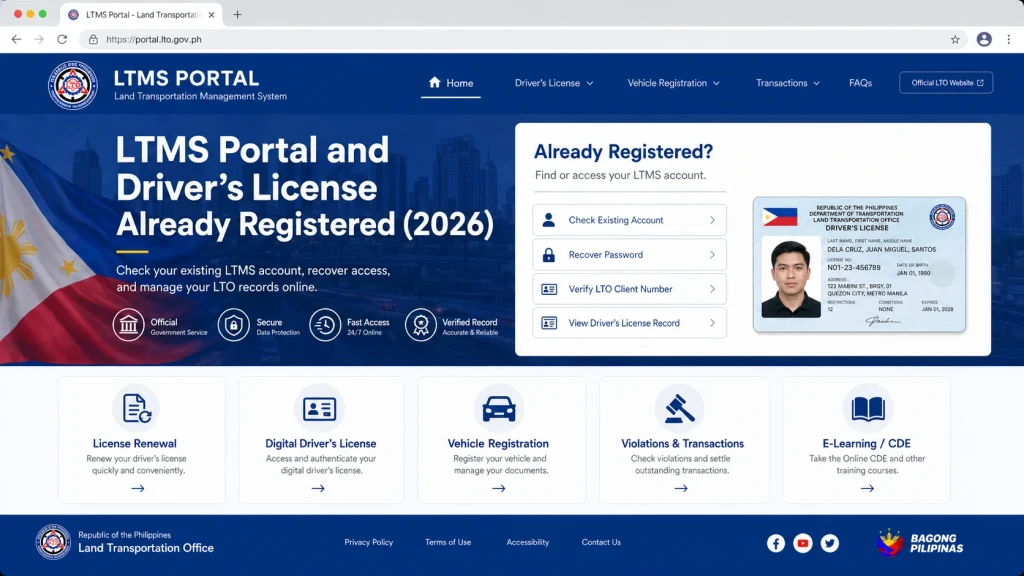
Even if you don’t remember registering, you might already have an account.
- Go to the LTMS login page
- Click Forgot Password
- Enter your email or Client ID if you know it
Check your inbox (including spam/junk folders). A reset link might help you access your old account even if you forgot you created it.
If the reset email never arrives, it doesn’t mean the account doesn’t exist — you may just need support help to recover it.
Many users have reported success by submitting a support request directly through the portal’s Contact Us form or Help section. Once submitted:
- Customer support may reply within 24–72 hours
- They usually ask for a screenshot of the error
- You may be asked to confirm your details so they can link your license to your correct account
This is one of the most common successful ways to fix the problem without going to an LTO office.
If email support is slow or you need help quickly, going to an LTO office may be the fastest solution.
At the branch:
- Explain the “already registered” issue
- Show your valid ID and license
- Ask the staff to check if your license is already linked to a portal account
Many people have reported that LTO IT staff can verify and assign a Client ID or help merge accounts so you can log in successfully.
Tips to Avoid This Problem in the Future
Use one email consistently
Register with a permanent email you check often so you don’t lose access or forget which one you used.
Finish the email verification immediately
If you start registration, complete the verification right away so the system won’t hold incomplete records.
Do not make multiple accounts for the same license
If you get an error, don’t immediately create a new account. That often causes duplicate accounts that confuse the system even more.
Record your Client ID and email
Write these down somewhere secure so you can recover your login easily without repeating registration.
FAQs
Conclusion
Seeing the “Driver’s License Already Registered” message on the LTMS Portal can be confusing, but it doesn’t necessarily mean something went wrong forever. It usually means your license number is already in the system — either from a previous registration or an incomplete attempt.
Start with password recovery and support requests. If that doesn’t work, go to an LTO office where staff can verify and fix account issues for you. With the right steps, you can link your license to your LTMS account and regain access to all portal services.


