
Complete Guide to LTMS Portal Registration Process (2026)
If you want to use the LTMS Portal (Land Transportation Management System) to apply for or renew your driver’s license, check violations, register a vehicle, or manage other LTO services online, the first step is creating an account. Registration is free and open to individuals, vehicle owners, foreign residents, and even businesses involved in land transportation.
This guide walks you through everything you need to know about the LTMS Portal registration process step by step.
What Is the LTMS Portal
The LTMS Portal is the online system of the Land Transportation Office (LTO) in the Philippines where you can access key services anytime without going to an office. Once registered, you can log in and:
You can also read: How to Recover Your LTMS Client ID Quickly Update (2026)
Requirements Before You Start
Before registering, make sure you have:
Step‑by‑Step LTMS Portal Registration
Here’s exactly what to do to create your LTMS account:
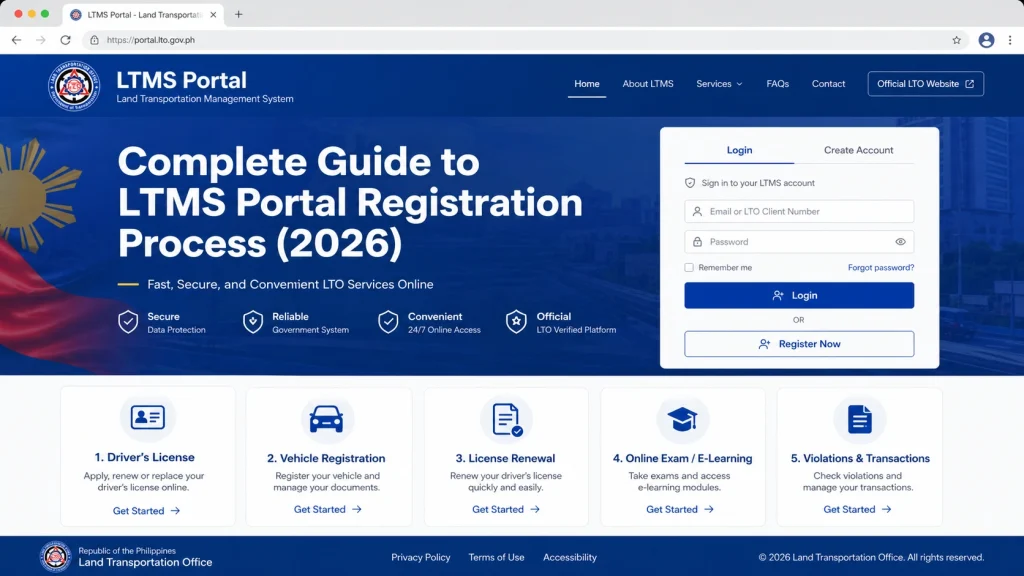
Open the Official LTMS Portal
Open your browser and go to the official LTMS Portal homepage at portal.lto.gov.ph. This is the secure government site for all LTO digital services.
Click “Register Now”
On the homepage, look for the “Register Now” button and click it to begin the registration process.
Accept the Terms and Enter Security Code
Read the Terms of Agreement and check the box to accept. Then enter the security code (captcha) and click “Next” to continue.
Choose Your Registration Type
You’ll be asked to choose the type of registration:
Choose the option that fits your situation.
Provide License Details (If Applicable)
If you already have a Philippine driver’s license:
If you don’t have a license yet:
Fill in Your Contact Information
Enter your valid email address and mobile number. This will be used for your account verification and notifications.
Wait for the Verification Email
After submitting your details, check your email inbox — you’ll receive a message with a verification link. Click the link to confirm your account. Make sure to check your spam or junk folder if it doesn’t appear in your inbox.
Complete Your Profile
Once verified, log in to your LTMS account with the provided credentials and complete the rest of your profile information such as emergency contact, medical details, and address.
Log In
After verification and setting up your profile, use your email or assigned client ID and password to log in to your LTMS dashboard.
Tips to Make Registration Smooth
What to Expect After Registration
Once you’re registered and logged in, your LTMS dashboard becomes your central hub for online LTO services. You can update your information anytime, view your driver’s license, check violations, and start applications without going to an LTO office.
FAQs
Conclusion
Creating an account on the LTMS Portal is the first step in accessing many LTO services online. The process is free, straightforward, and can be completed from any device with a working internet connection.
By following the steps above — preparing your information, verifying your email, and completing your profile — you’ll be ready to log in and use the portal with confidence.


