
How OFWs Can Renew Their Philippine Driver’s License Online
If you are an Overseas Filipino Worker (OFW) and your Philippine driver’s license is about to expire, renewing it while abroad might seem confusing. But good news — you can renew your license online using government platforms like eGovPH or the LTMS Portal, without going back to the Philippines.
In this guide, you will learn the step‑by‑step process, requirements you need, and tips to make it easy.
Can OFWs Really Renew Licenses Online?
Yes. OFWs can renew their Philippine driver’s license online as long as they have:
This means you don’t need to fly home just to renew your license.
You can also read: Is the Digital LTO License Valid? Latest Update (2026 Guide)
Which Platform Should OFWs Use?
You can renew online through:
Most OFWs prefer eGovPH because it’s simpler and faster. But either one works as long as your account is ready.
Step‑by‑Step Guide: Renewing Online as an OFW
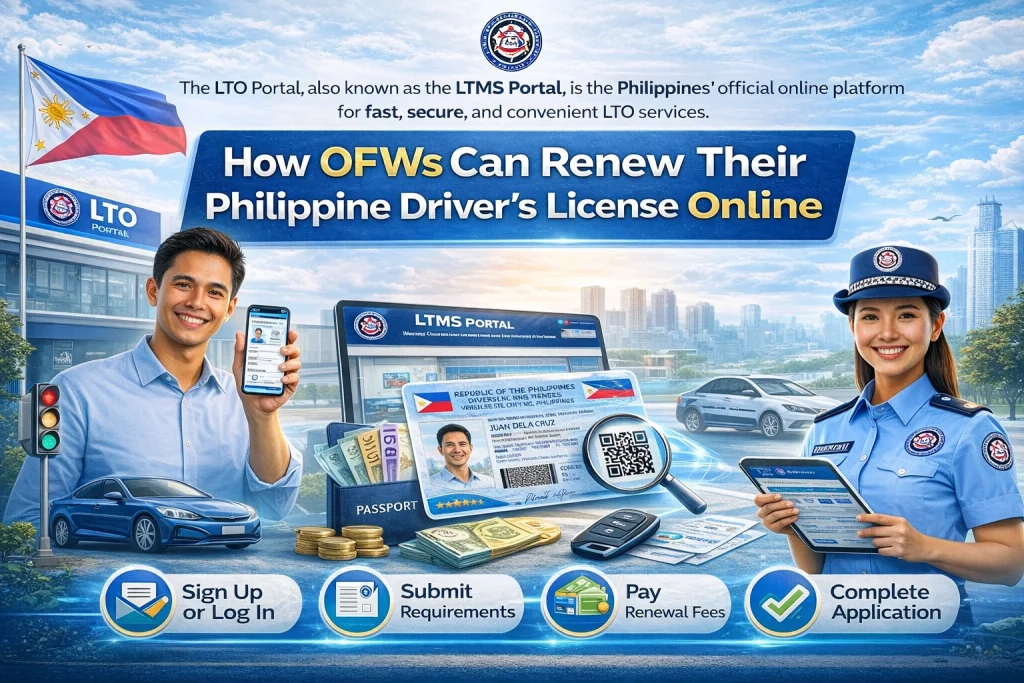
- Before you start the online renewal, have these ready:
- Your Philippine driver’s license number
- A scanned copy of your valid ID (passport or Philippine ID)
- A selfie photo (if required)
- A credit or debit card that supports international online payments
- If you don’t have an account yet:
- Go to the eGovPH website
- Create a new account using your email
- Verify your email and sign in
- If you already have an account, just log in.
- Once logged in:
- Go to Services
- Select Driver’s License Renewal
- Enter your license number
- Make sure your details are correct before continuing.
- You will be asked to upload:
- A scanned ID
- Your selfie photo (if requested)
- Any other documents needed
- Make sure the files are clear and readable.
- Enter your card details to pay the renewal fees.
- Tips for OFWs:
- Use a card that allows international payments
- Make sure there are enough funds
- If the payment fails, try another card
- Once payment is successful, your renewal request will be sent.
- After submission, you will get a notification or email saying your renewal is being processed. This usually takes a few days.
- You might also get a digital receipt or reference number.
- When your renewal is approved:
- You may download a digital license
- Some branches let you have a printed license sent to your address in the Philippines through someone you trust
- Check the portal regularly until your renewal is complete.
Tips and Reminders for OFWs
Common Problems and How to Fix Them
Payment Failed
Try a different payment card or contact your bank to allow online international transactions.
Account Not Recognized
Double‑check that you are using the exact name and birthday linked to your driver’s license.
Documents Didn’t Upload
Make sure your files are clear and the correct format (usually JPG or PDF).
No Confirmation After Submission
Check your email spam or promotions folder. Sometimes confirmation emails land there.
FAQs
Conclusion
OFWs don’t have to worry about renewing their Philippine driver’s license in person anymore. With eGovPH and the LTMS Portal, you can complete the renewal online with just a few steps.
Make sure your details are correct, your documents are ready, and your payment works. With careful preparation, renewing your license from abroad becomes simple and stress‑free.


